

How to set up skip logic
1
Navigate to Logic
On your form builder, go to 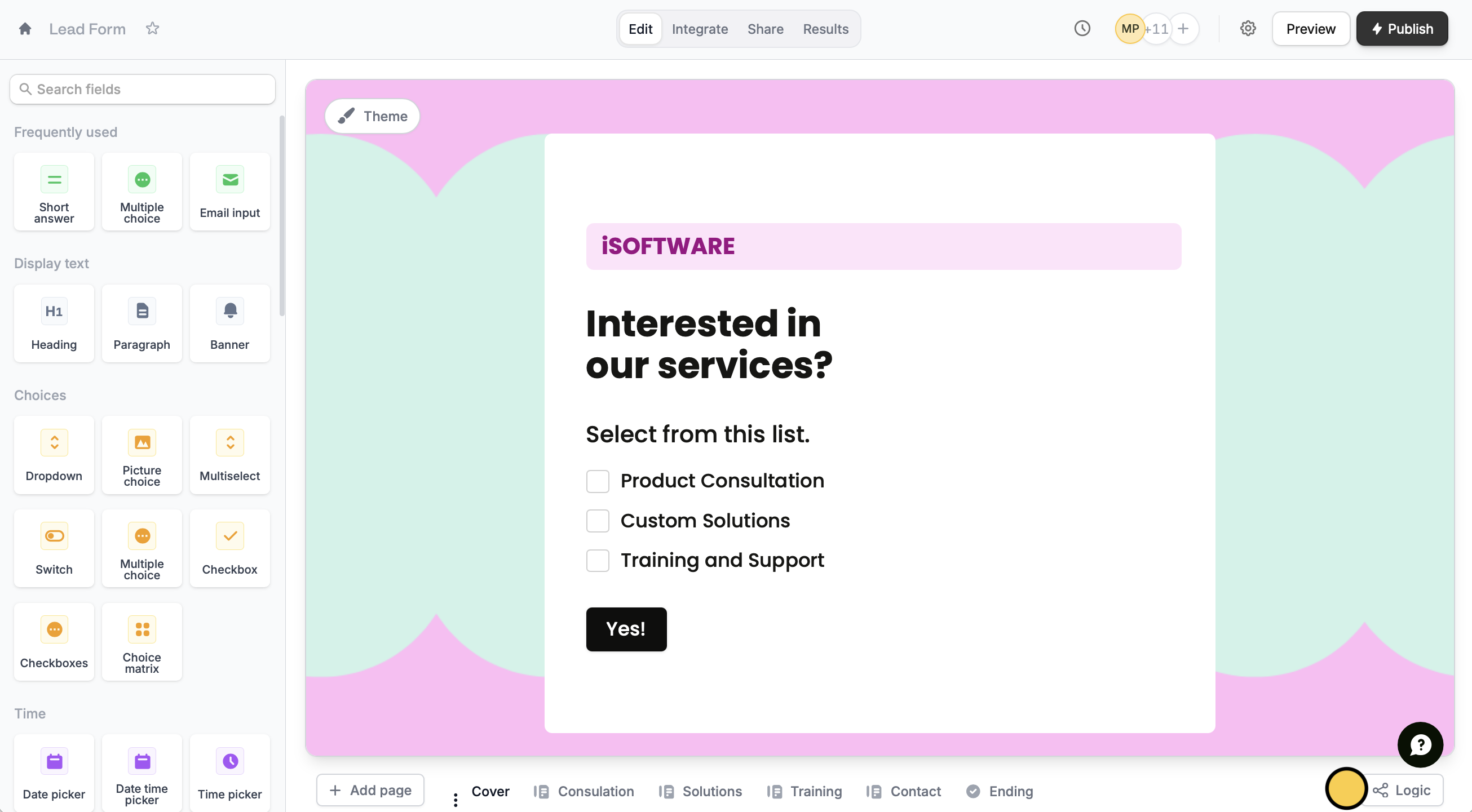
Logic. For example, let’s ask respondents which specific services they would like to avail.2
Create branches
By default, each page connects to a single page, until the Ending page. We want to create a dynamic form that will only show pages relevant to previous answers.First, drag and drop the connector of the page containing the question to the connector of the relevant page.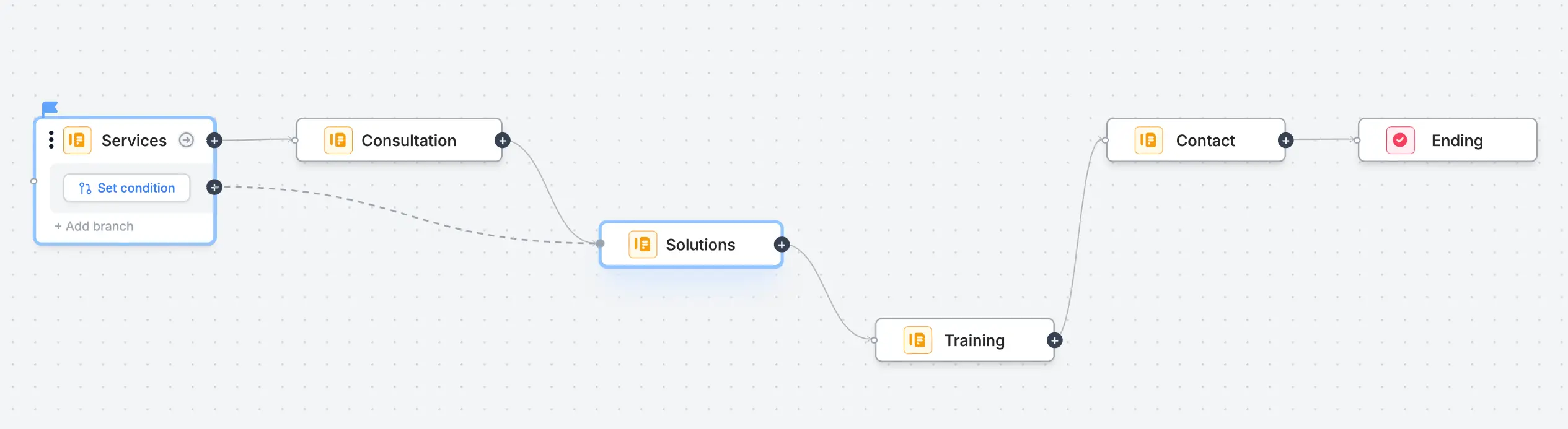
3
Set conditions
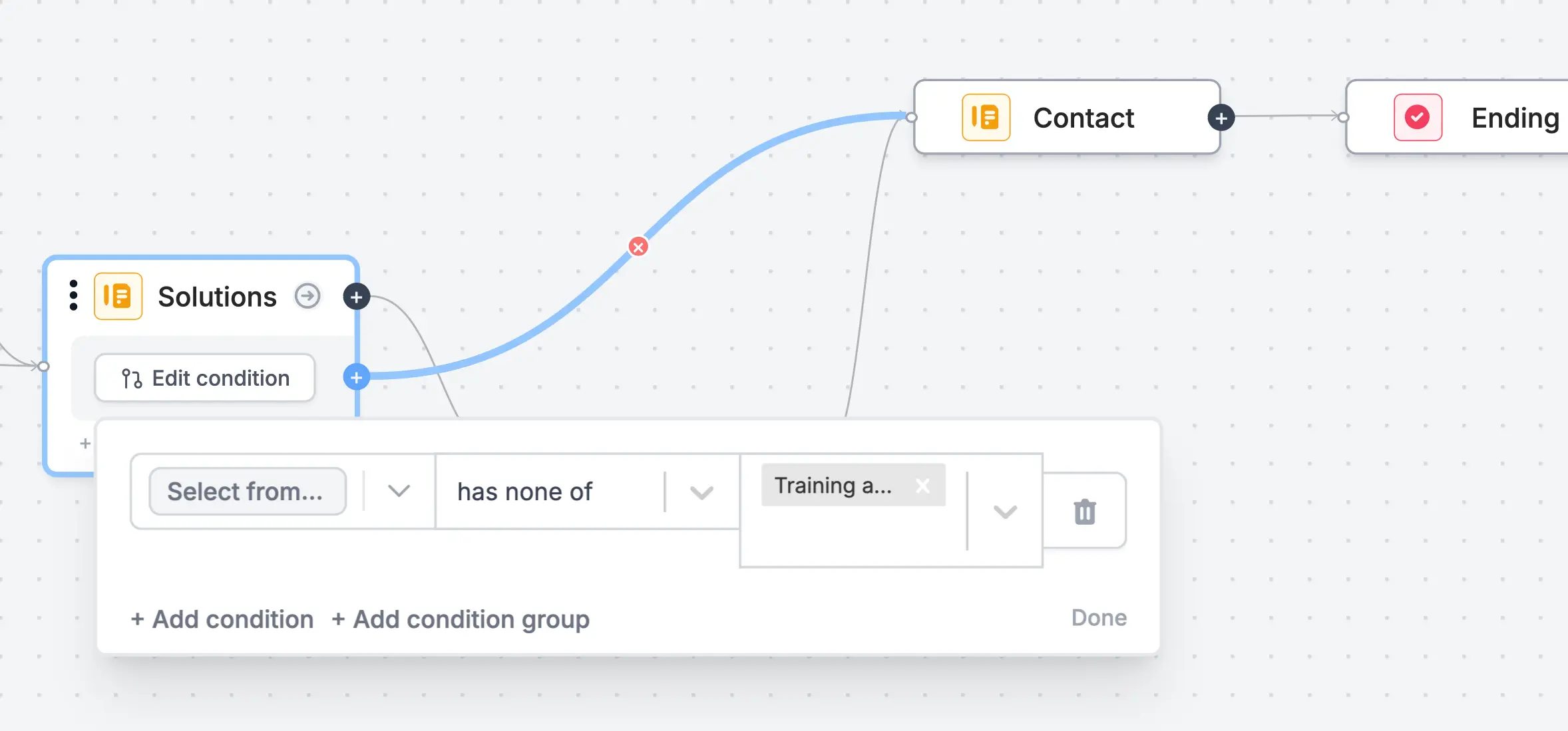
Say, the respondent selects “Solutions” and “Training” only. In this case, we’ll have them skip the page(/s) that come before it, “Consultation”.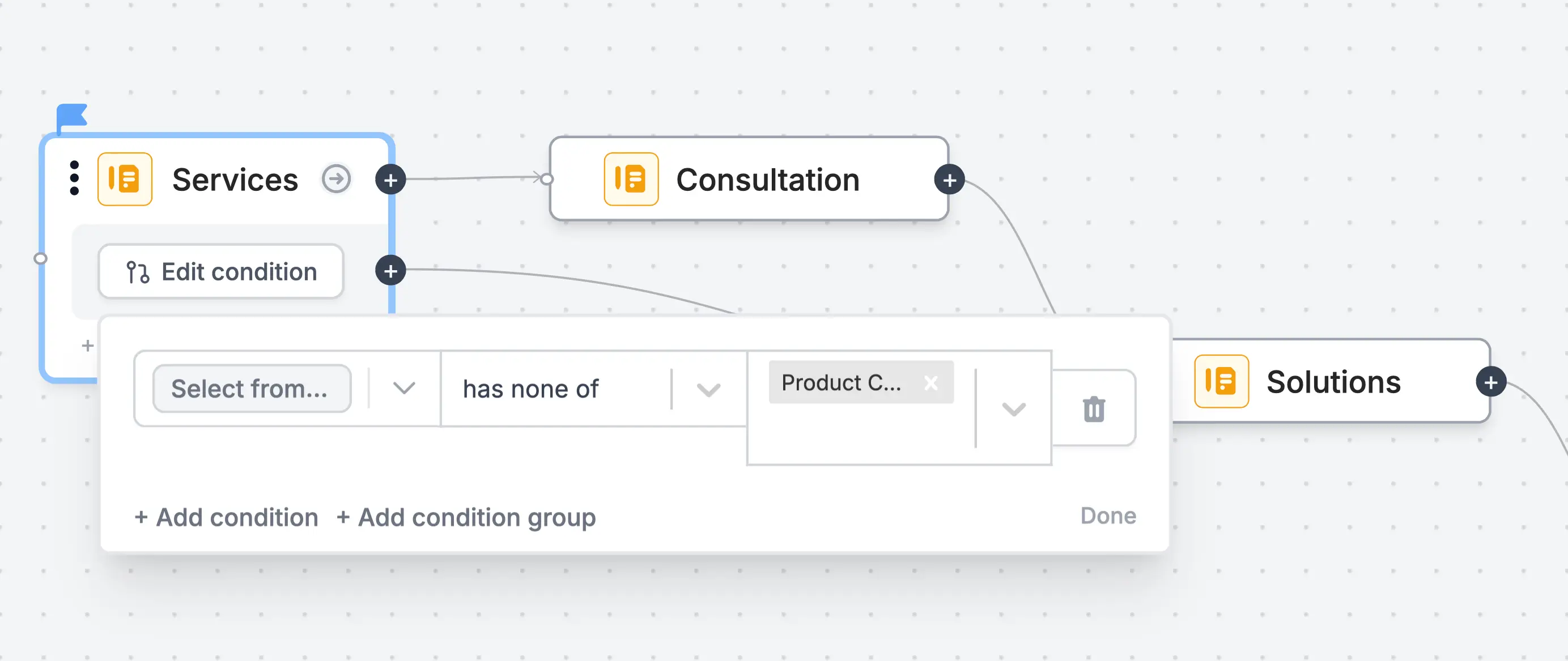
Relevant articles
Page logic
Hide or show pages or custom endings based on respondent input.
Condition groups
Show or hide fields based on multiple conditions at once.