

Build a form with the Form Agent
1
Start a new form
Go to Fillout, then My forms, and click New form. Click Import existing forms, then With AI.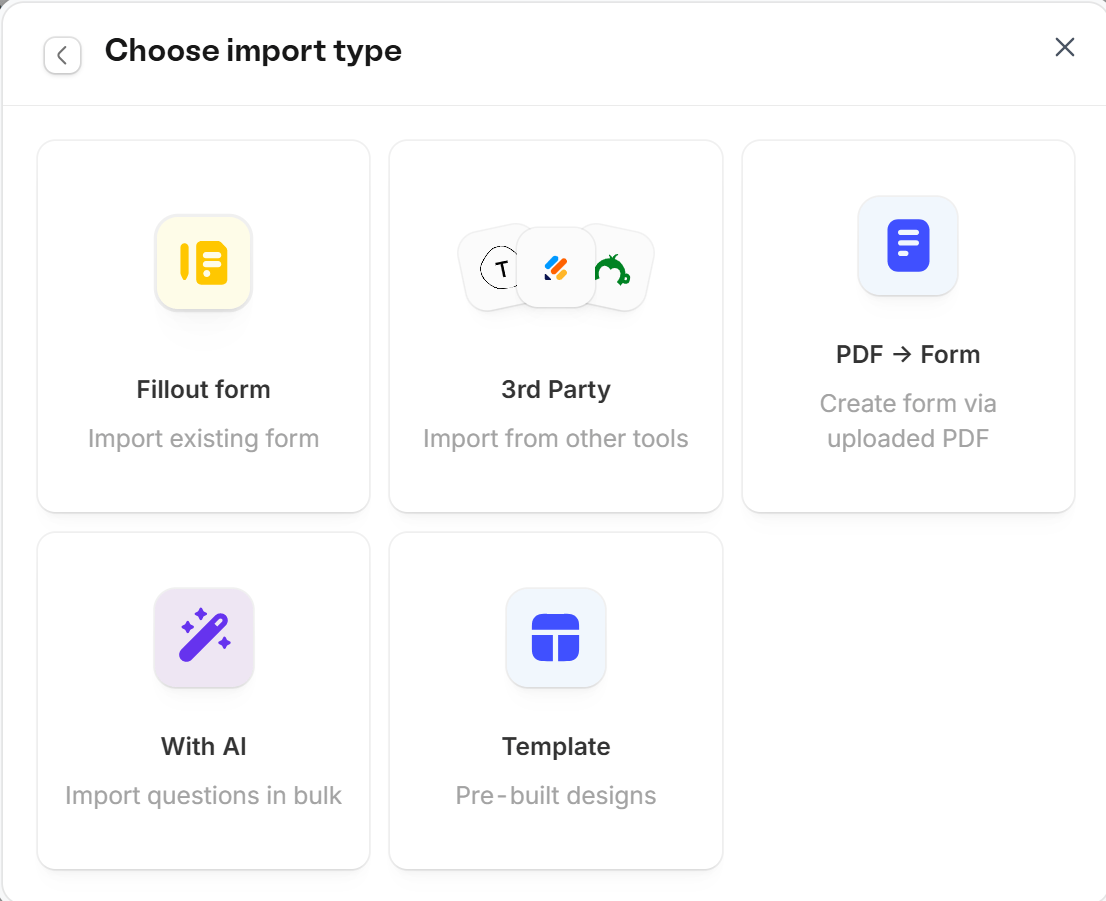
2
Describe your form
A blank form opens with the Agent panel on the left. Describe the form you need, or paste your questions, and the agent adds the fields, pages and logic. You can keep asking it for changes. See Form Agent.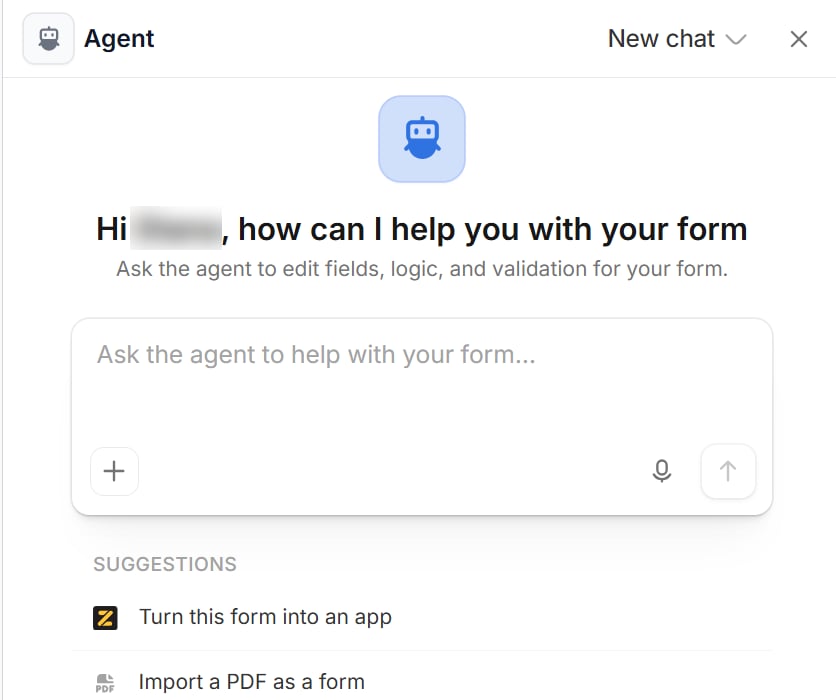
3
Customize and publish
Style your form, require and reorder questions, add logic, and more. Then, click Publish in the upper right corner to share your form with a link or an embed.
Import a PDF or another form
In the same Choose import type window, choose the PDF option (Create form via uploaded PDF) to turn a PDF into a form, or 3rd Party to import a form from another tool. See Import and export forms.AI tools on fillout.com
These pages on fillout.com still build a Fillout form:- AI Survey Maker: describe a survey, import your questions, or import an existing survey. See AI surveys.
- AI Quiz Maker: turn any text into a quiz. See AI quizzes.
- PDF to form: upload a PDF or document.
Related articles
Themes
Select from hundreds of themes or create your own.
Reorder with drag and drop
Arrange pages and field options.
Page logic
Hide or show pages or custom endings based on respondent input.