

Overview
Duplicating an entire form can be useful if you want to keep all of your fields and just make a few adjustments, or make a new version of your form without updating the old one.How to duplicate a form
From your dashboard, hover over the form you want to duplicate and click toDuplicate.
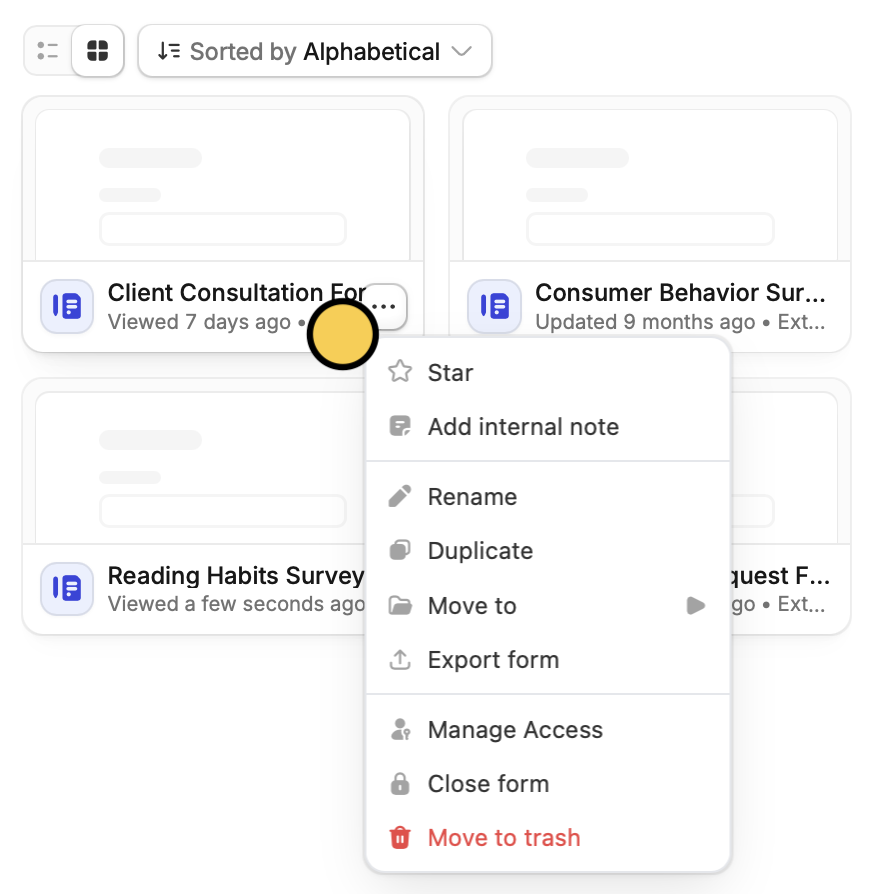
From here, you can also
Rename your form. Alternatively, if your form is already open in the editor, you can edit the default name in the upper-left corner next to the home icon.
Related articles
Import and export forms
Transfer between different accounts.
Copy and paste a question
Copy and paste fields on any Fillout form.
Duplicate questions
Build forms faster by duplicating questions or fields.