

Tutorial video
Lead enrichment is part of the Conversion Kit, a paid add-on that an admin can add on any Fillout plan, including Free. The Team plan doesn’t include it. Fillout covers the cost of Apollo, so you don’t need an API key.
Enriching leads and conditional routing
If you enableEnrich with Apollo in the right-hand panel, you’ll receive access to the following properties after a respondent fills out their email:
- Employee count - total number of employees that work at the company
- Employment name - name of the company the person works for
- Employment domain - domain of the company the person works for
- Employment role - a person’s standardized role at the company they work for based on their title.
- Company traffic rank - a company’s standing in a global rank of company website traffic as calculated by Apollo.
- Company employee range - number of employees that work at the company by range. Useful for segmenting companies by size.
- Company estimated annual revenue - estimate of the company’s annual revenue by range.
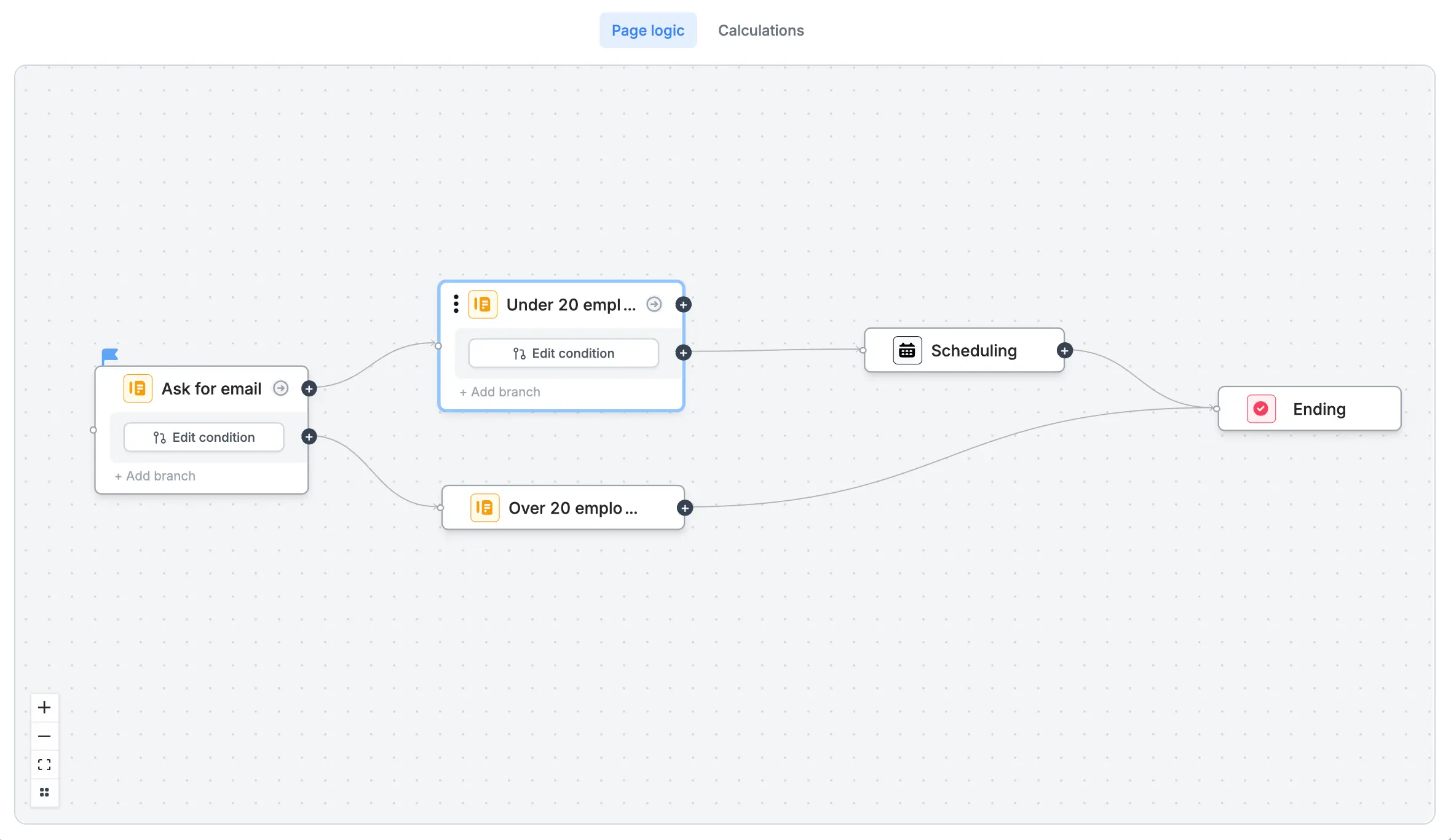
- Routing leads with over x employees to a scheduling page with your enterprise team
- Creating multiple scheduling pages to route leads based on region, industry or company size
How to enrich emails
Click your email field’s settings icon and enable Enrich with Apollo in the right-hand panel.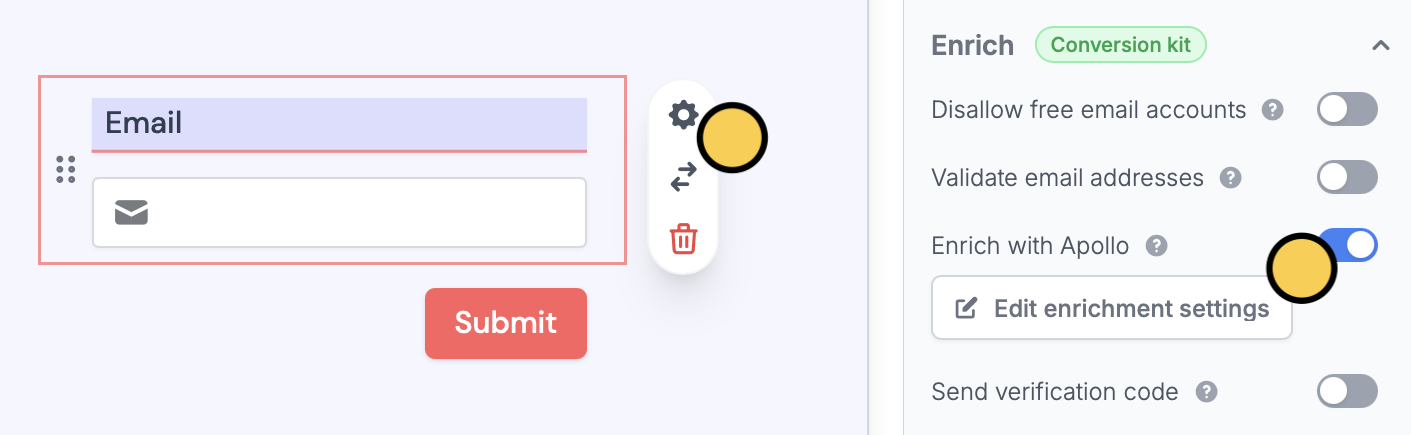
Integrations tab.
Related articles
Page logic
Hide or show pages or custom endings based on respondent input.
Fillout Scheduling
Book meetings on your Google or Outlook calendars with a form.