

How to print a submission as PDF
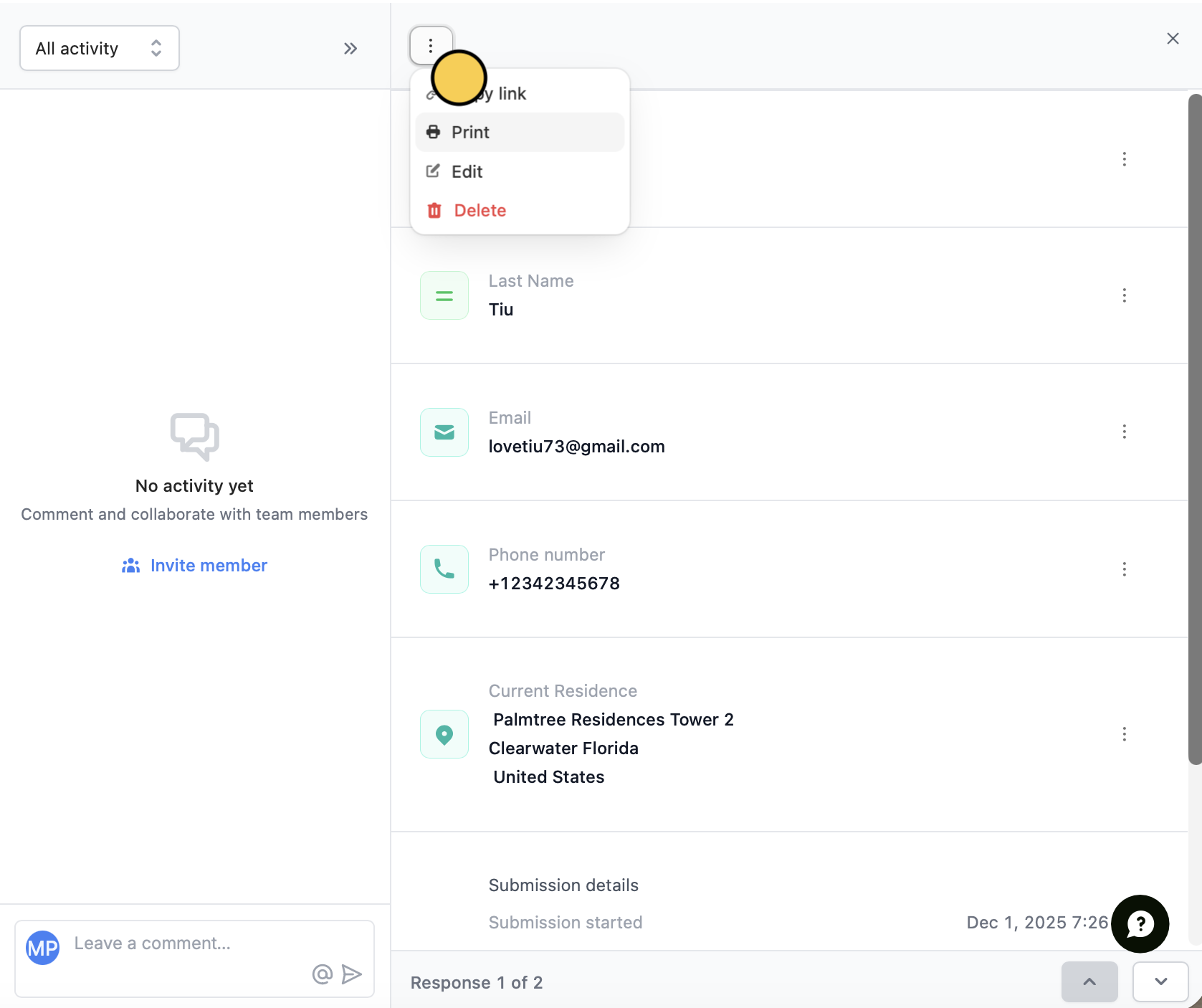
Navigate toResults on top. Hover over the submission you’d like to print and click .

Print.
Where hard copies can help you
Annotate responses
Printing submissions makes it easy to review submission data in a format that works best for you. With hard copies, you can read, highlight, and annotate responses, making data analysis more accessible and convenient.Share data
Printed copies of individual responses are an easy way to share data with colleagues, stakeholders, or clients. They are a quick way to share insights with those who may not have access to your survey results or prefer physical copies.Related articles
Analytics
Identify patterns, trends, and improve drop-off rates.
Responses
View all submissions to your form. Filter, sort, or export to CSV.
Convert submissions into PDF
Keep hard copies of submissions.