

What is a group meeting
Group scheduling allows multiple participants to join the same call hosted by a single person. This is ideal for webinars, courses, and other group events.How to set up
1
Create the scheduling form
From your dashboard
Create a Group meeting form. Follow the quick steps here.2
Configure event details
On the left-hand panel, edit the details as you see fit. You can also customize avatars to maintain brand consistency by clicking 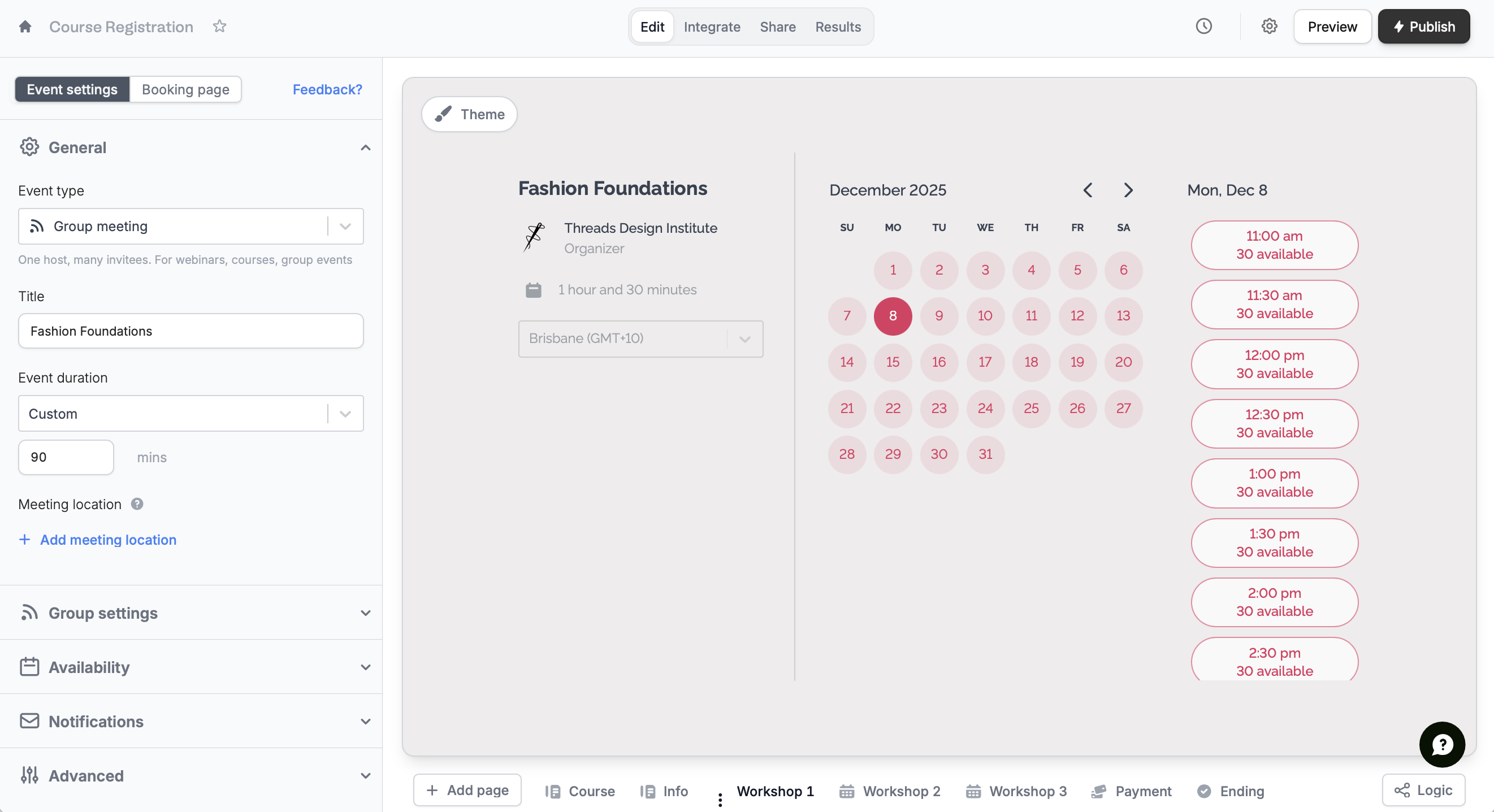
Booking page on top.3
Publish and share
That’s it!
Publish your form and share the link or embed it anywhere.Group meeting notifications are sent from the Fillout Notifications email instead of Google Calendar, so they won’t be automatically suggested in your calendar.
Set the maximum attendee limit
On the left-hand panel, input a number for Max attendees per event.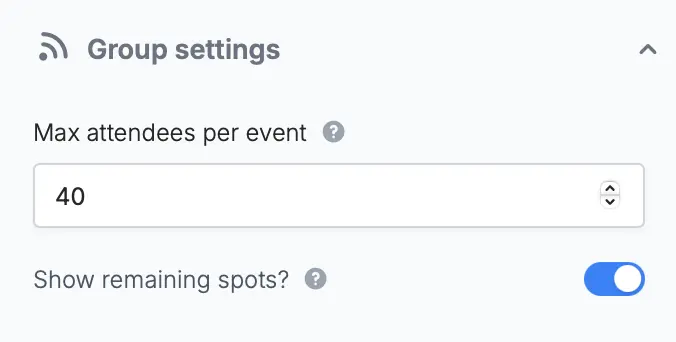
Related articles
Event types
Select the event type that best fits your agenda.
Email reminders
Automate reminders to your meeting guests via email.
Set your availability
Specify your available hours and buffer times through forms.