

What is a custom domain?
A custom domain is a unique web address to replace your web form’s default URL, enhancing brand visibility and trust. It adds professionalism, improves SEO, and ensures a seamless user experience.Video tutorial
How to add a custom domain
1
Open account settings
On the Fillout dashboard, click your 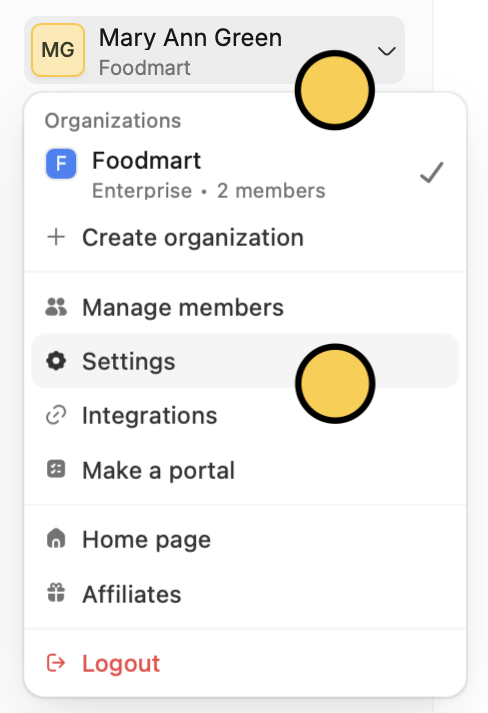
Account name in the upper left corner followed by Settings.2
Add domain
Navigate to 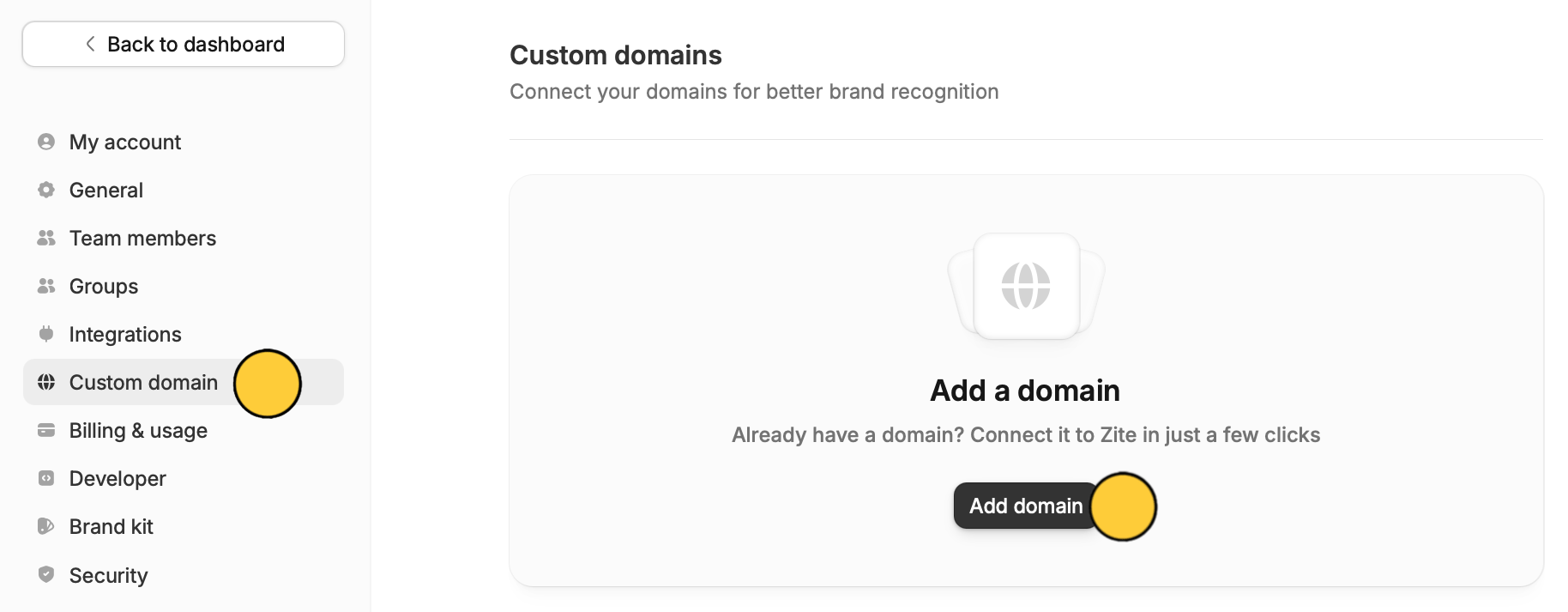
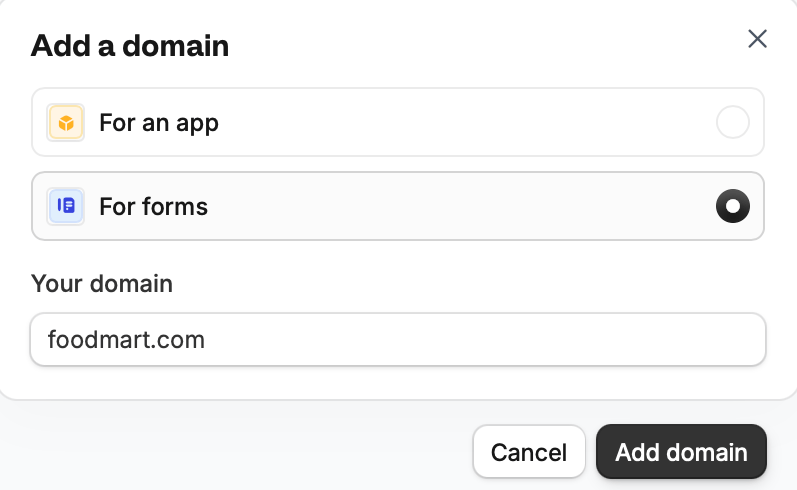
Custom domain and click Add domain.For forms and enter a domain you own.3
Set up DNS record
How to add the DNS record:
- Log in to your domain provider.
- Add the CNAME record as instructed in the Fillout dashboard.
- Wait until the DNS records are verified (this can take anywhere from a few seconds to a few hours). Click Refresh in Fillout to check if your domain has been connected.
Share page.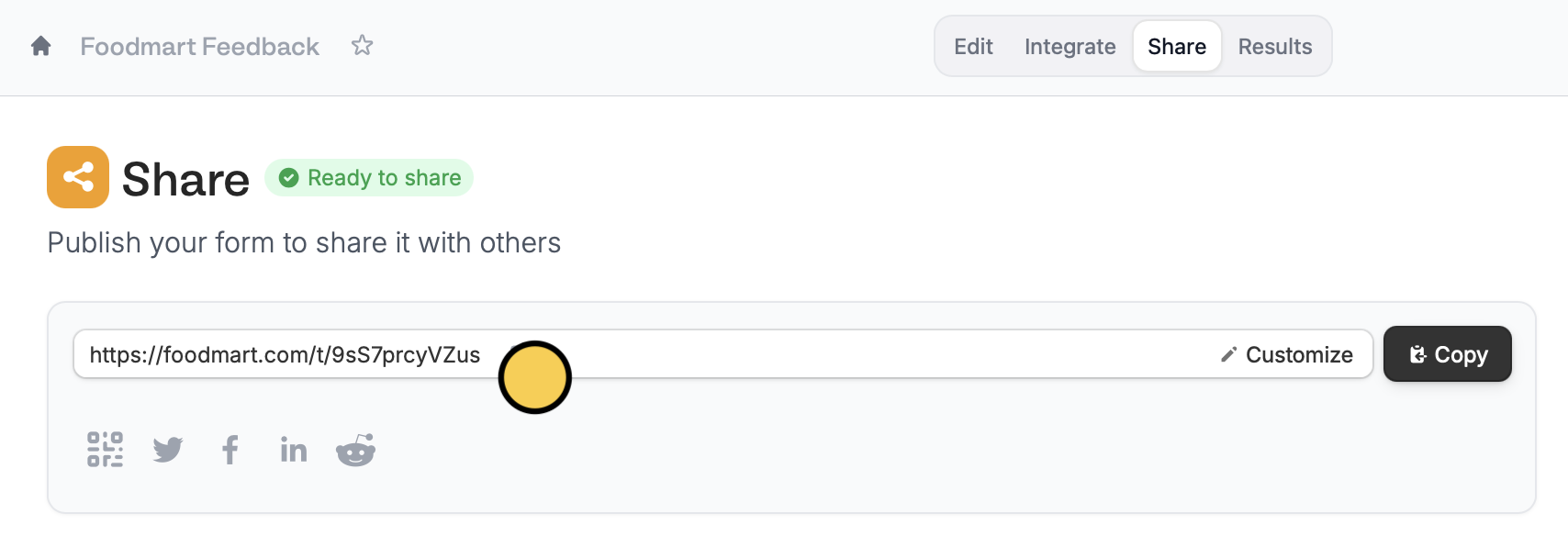
Customize the link ending
You can also change the slug. Check out this quick guide.Custom domain vs. subdomain
A subdomain is part of an existing domain. For example,foodmart.fillout.com uses “fillout.com” as the main domain, while “foodmart” is the subdomain.
A custom domain uses a domain you own, like foodmart.com. This lets you share forms under your own brand instead of “fillout.com”, creating a more consistent experience for respondents.
Related articles
Custom form links
Customize your form’s share link, subdomain and URL ending.
Custom favicon
Add your logo or icon to a browser tab and in link previews.
Remove Fillout branding
Remove Fillout buttons on form pages.