

How to add a banner to your form
On the left-hand panel, selectBanner or drag and drop the field anywhere on your form.
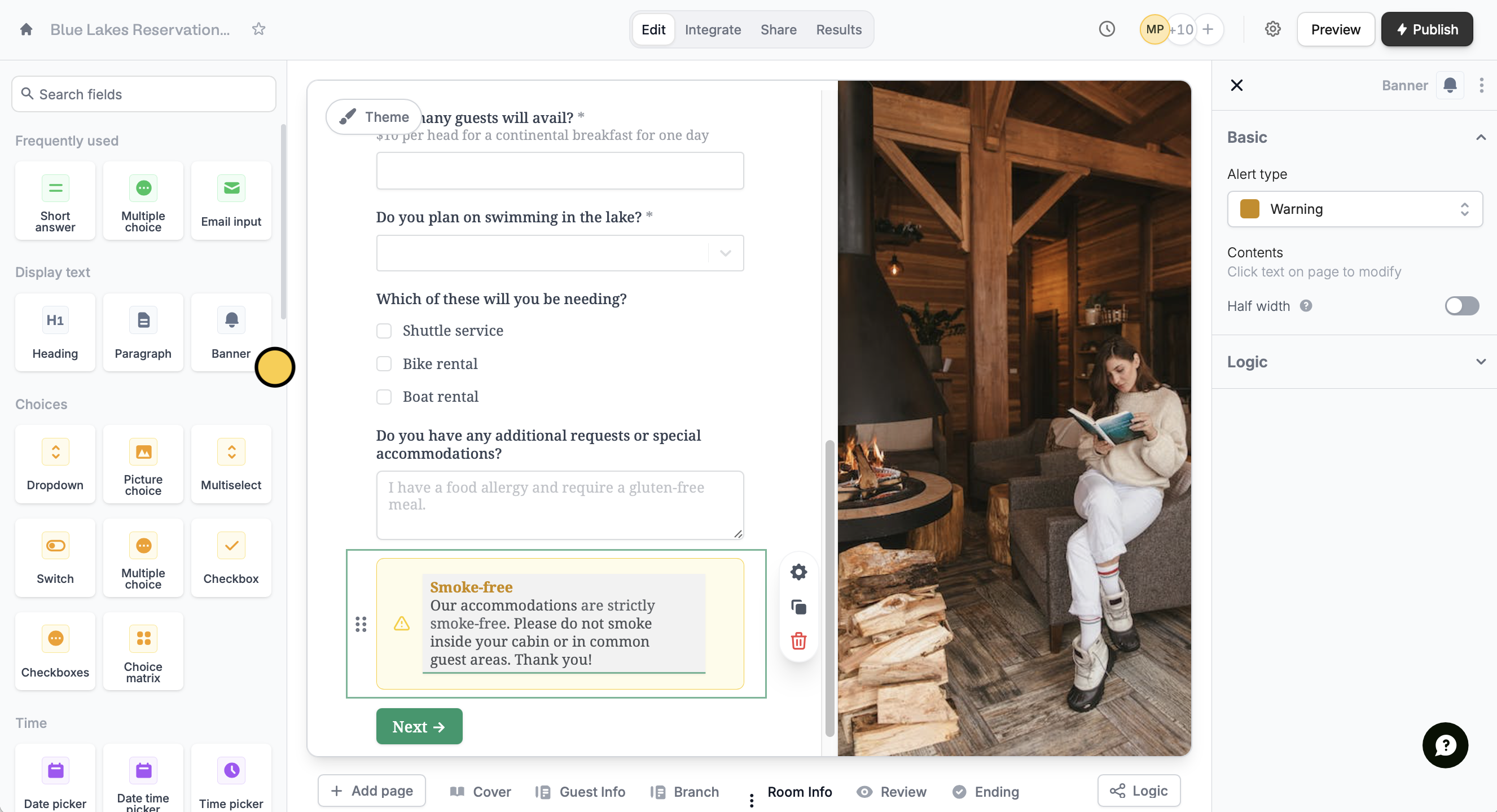
This help article does not refer to header banners, but rather to banners you can add in your form’s body. To add text banners, use the heading field. For image banners, use the image field.
Show banners only when necessary
Click the banner’s . Under Logic,Set conditional logic.
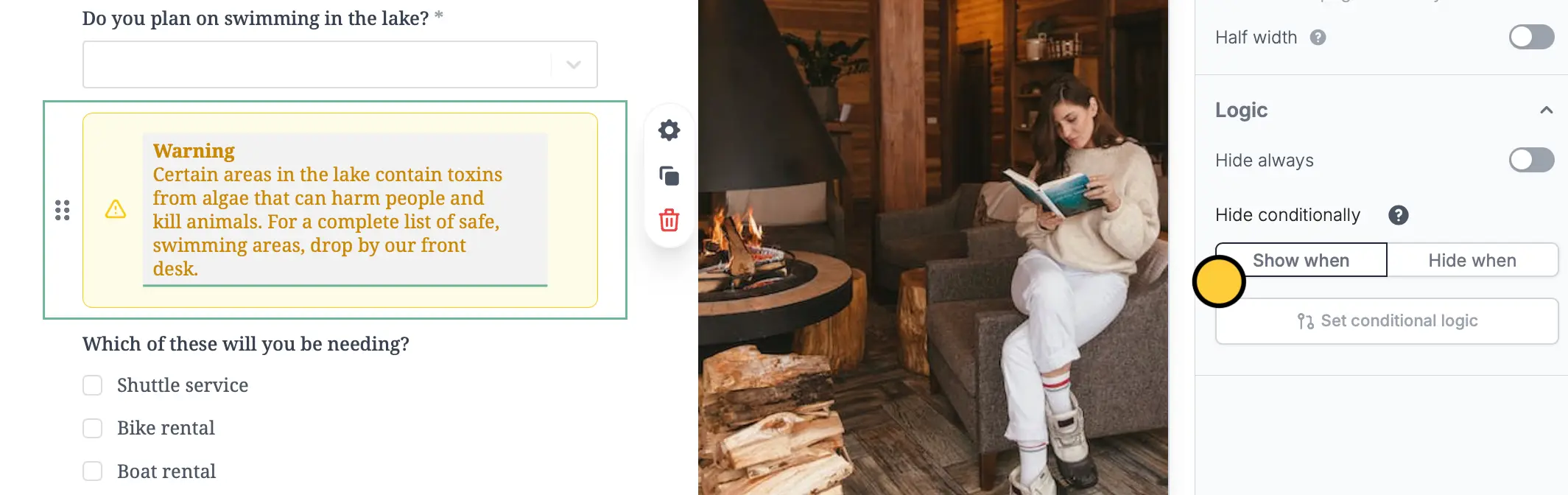
+ Add condition to select the relevant question and answer. For this example, we will show the warning banner only when guests are interested in swimming.
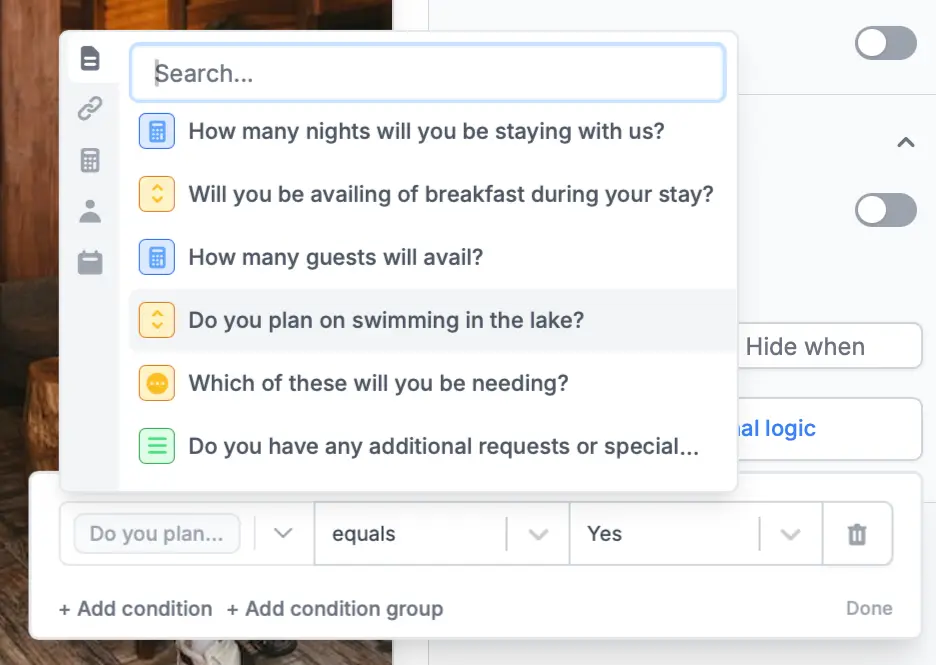
Show when and equals, which means a banner will appear when a certain option is selected. Alternatively, you can conditionally hide fields and add condition groups.
Where you can use a form banner
Inform respondents of policies, rules, and potential dangers Banners are a great way to call attention to crucial information relevant to what a guest or participant will be doing. This gives respondents a better idea of what to expect out of their experience. Excite customers and clients with exclusive deals and new features You can use a banner to draw a respondent’s focus to a particular service or subscription.Related articles
Hide fields
Hide or show fields based on answers, URL parameters or data.
Condition groups
Show or hide fields based on multiple conditions at once.