

Overview
When embedding a subform within a main form, you can pass field answers or values (e.g., name, email, and order ID) from the main form to the subform using URL parameters. This removes the need for users to re-enter information. For example, you can:- Pass a user’s name or email for additional details in a subform
- Transfer order or project IDs for tracking submissions
- Pre-fill contact info in follow-up or feedback subforms
How to send data
1
Add a URL parameter in your subform
Open your subform and follow the steps here. In our example below, we have the order form as the main form and a subform for selecting products.
2
Connect the parameter to your main form
Click the subform field’s . Scroll down to Advanced and 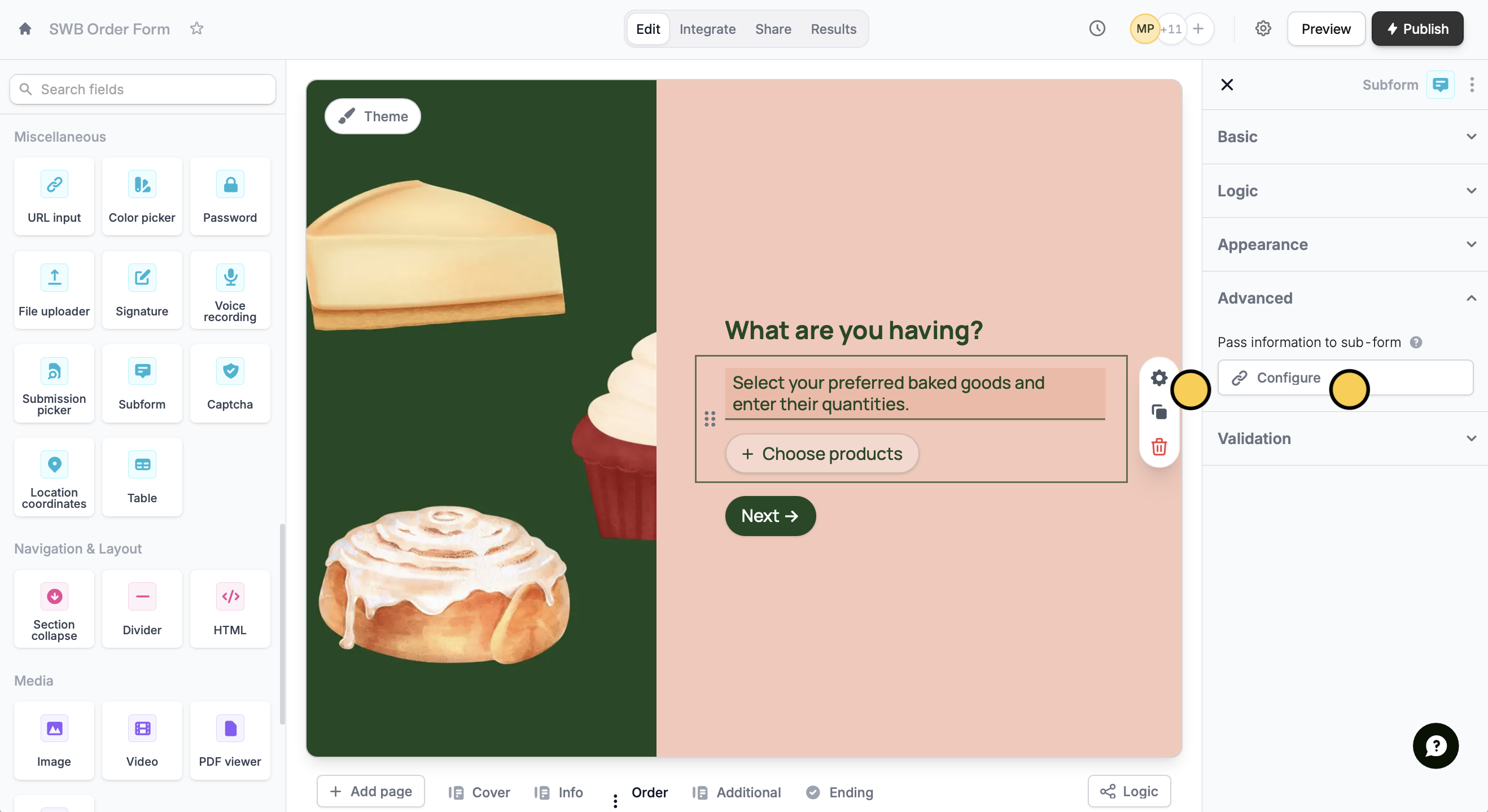
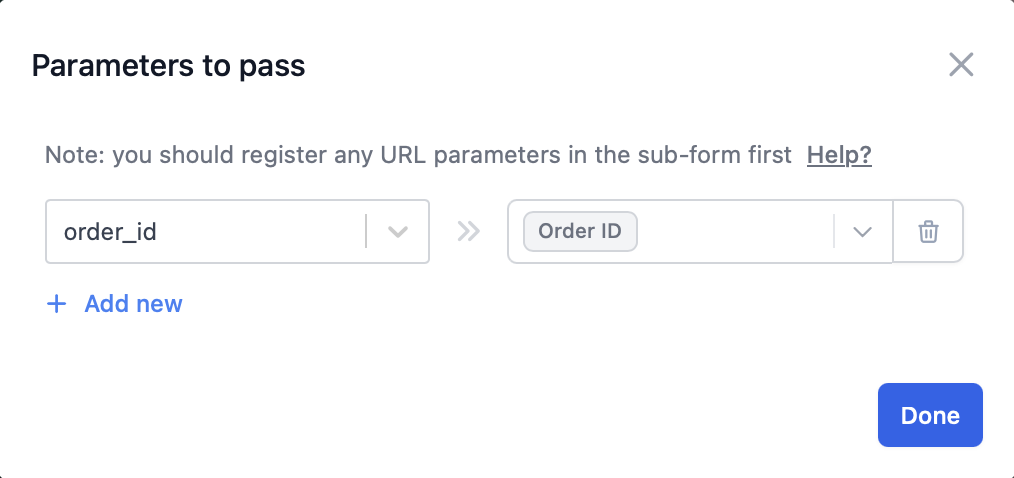
Configure the information you’d like to pass to your subform.+ Add new and select the URL parameter from your subform on the left. Then, map this to the corresponding field in your main form.3
Publish and share
That’s it! The field where you set the URL parameter as the default value will now be pre-filled automatically.
Preview your form first to ensure it’s working as you intended it to. Then, click Publish and share or embed your form.Send subform data
You can also do it the other way around by passing values from your subform to your main form. Check out this quick guide.Related articles
URL parameters
Pass information to a form to support pre-filling.
Subforms
Collect repeated data with compact nested forms.
Import subform data
Pass data from a subform to a main form.