

How to share a template
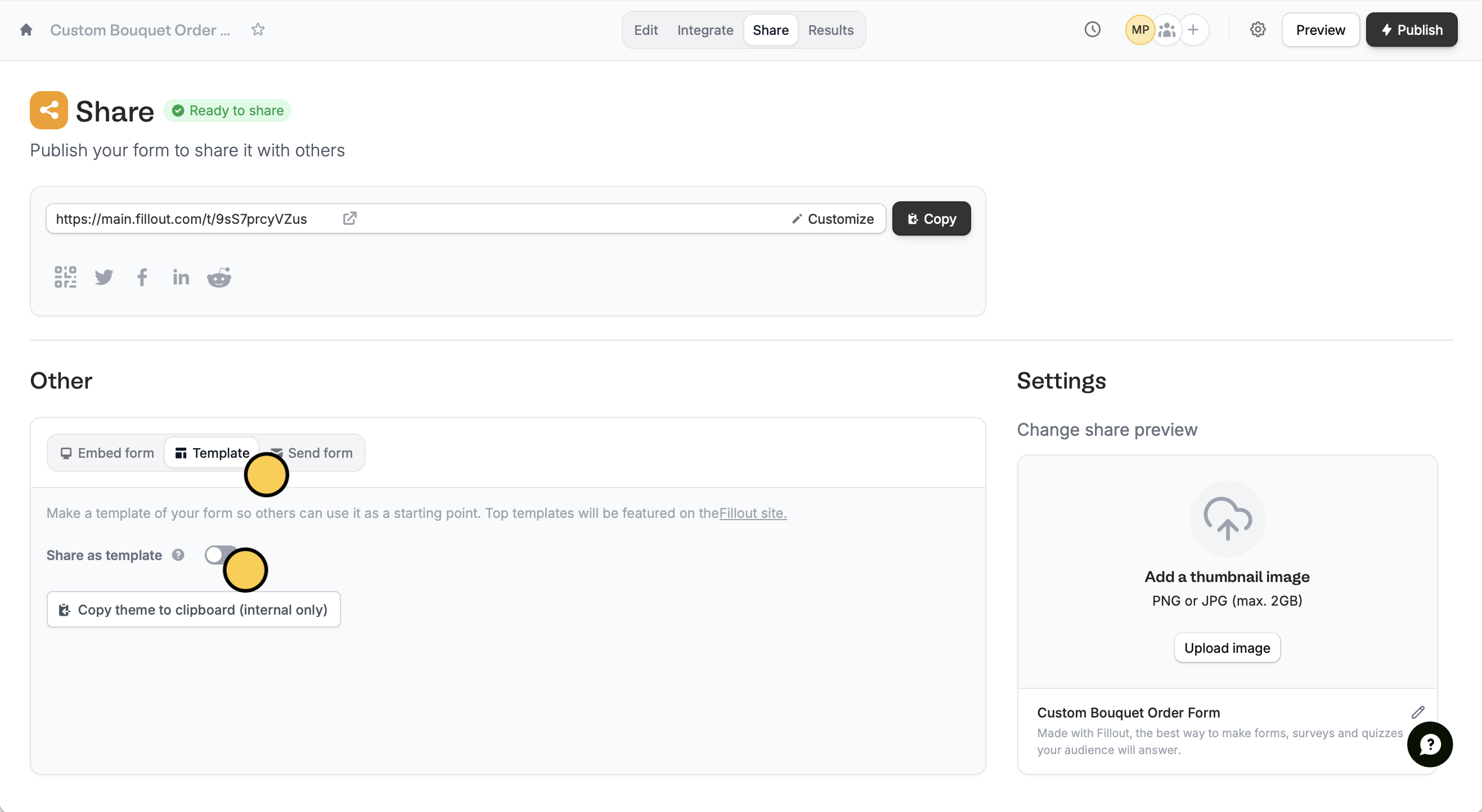
First, open the form you’d like to turn into a template. ClickShare on top followed by Template. Then, toggle the Share as template switch.
Create template and that’s it!
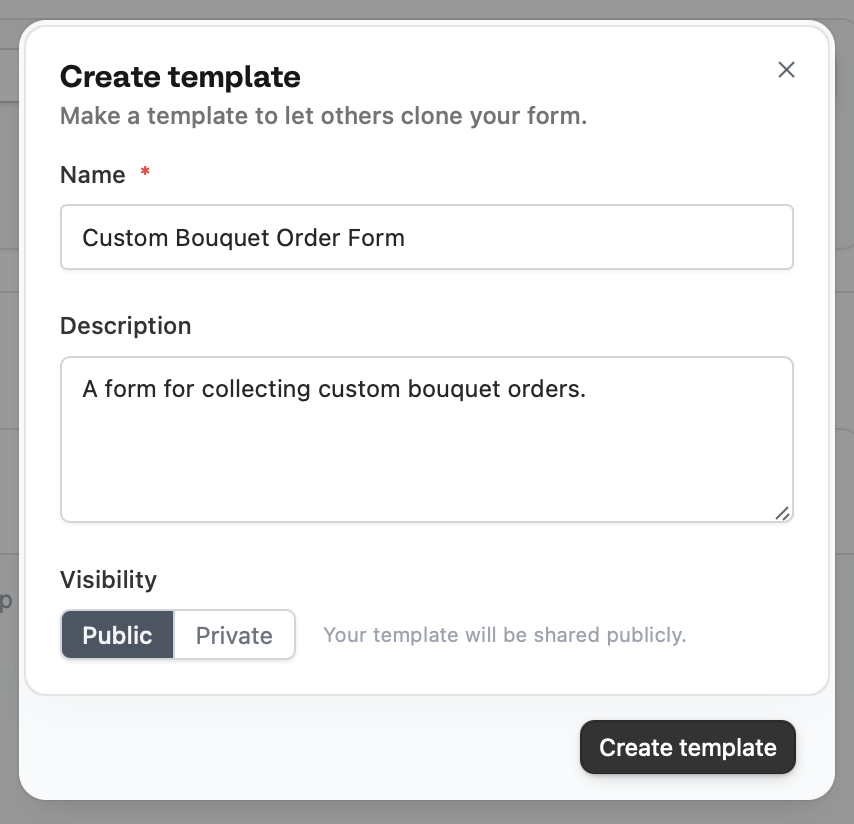
All templates should be set to Public for now. We’re still putting the finishing touches on a better version of the private templates feature!

Public templates
Public templates get an automatically generated landing page, like this one, that you can share with anyone. Contact support@fillout.com if you’d like your template to be visible in the Template Gallery.Related articles
Form templates
Choose from hundreds of customizable templates.
Quizzes
Use different question types, calculate scores, and more.