

How to remove team members
1
Open member settings
On the Fillout dashboard, click your 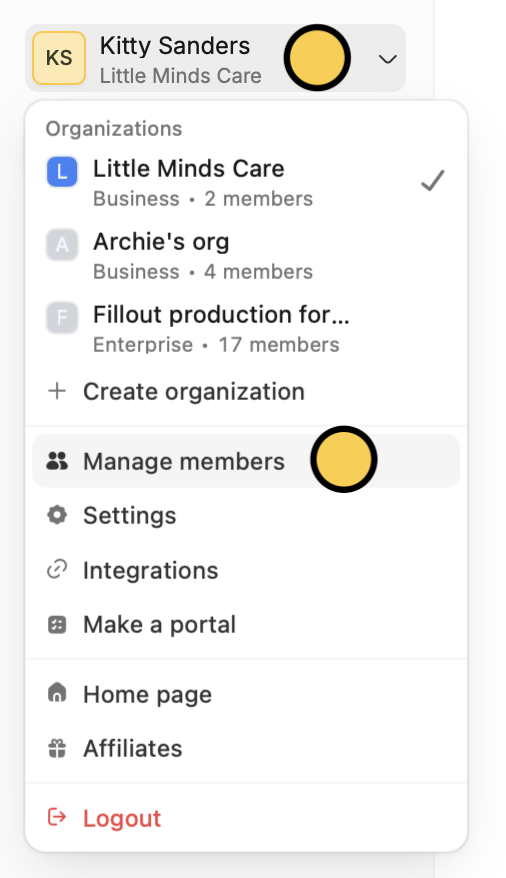
Account name on the upper left corner followed by Manage members.2
Select account
Click the account you want to remove.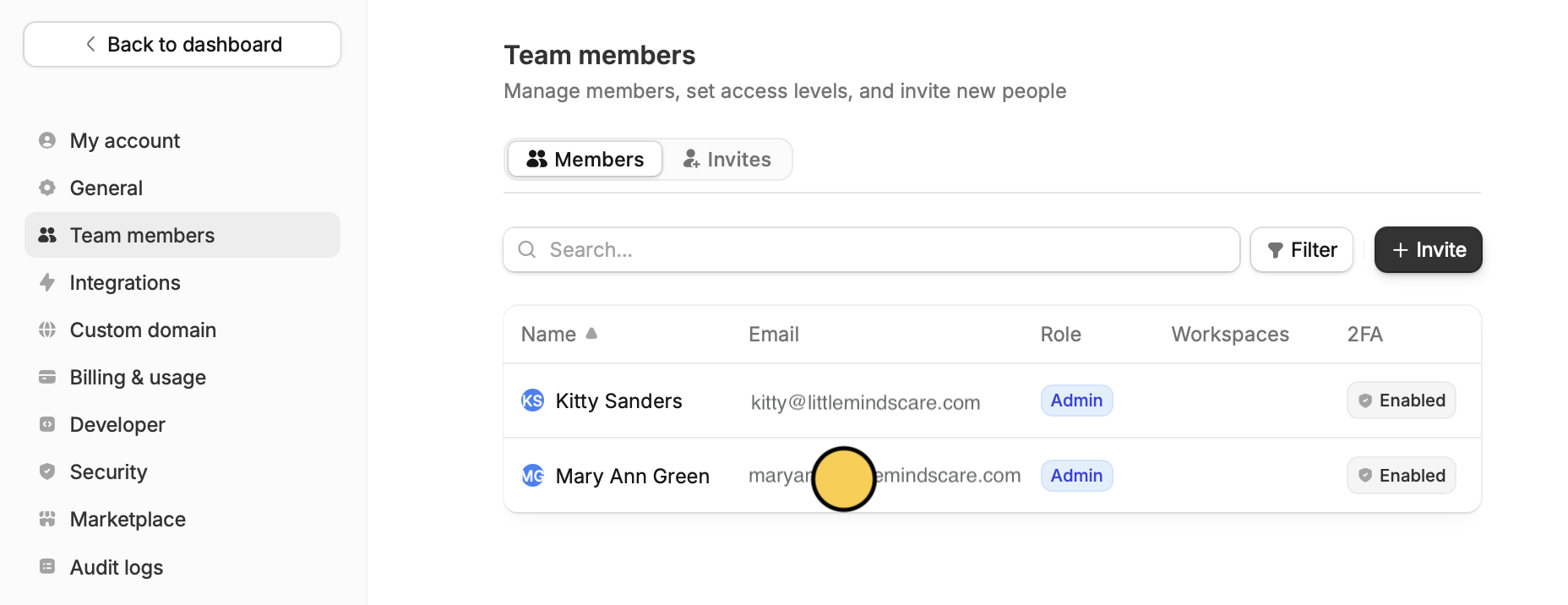
3
Remove account
In the popup, click
Remove to confirm.Add team members
Invite members directly from your dashboard. Check out this guide.
Update a member’s email
1
Open member settings
From the dashboard, click your
Account name on the upper left corner followed by Manage members.2
Select account
Click the account you want to update with the new email.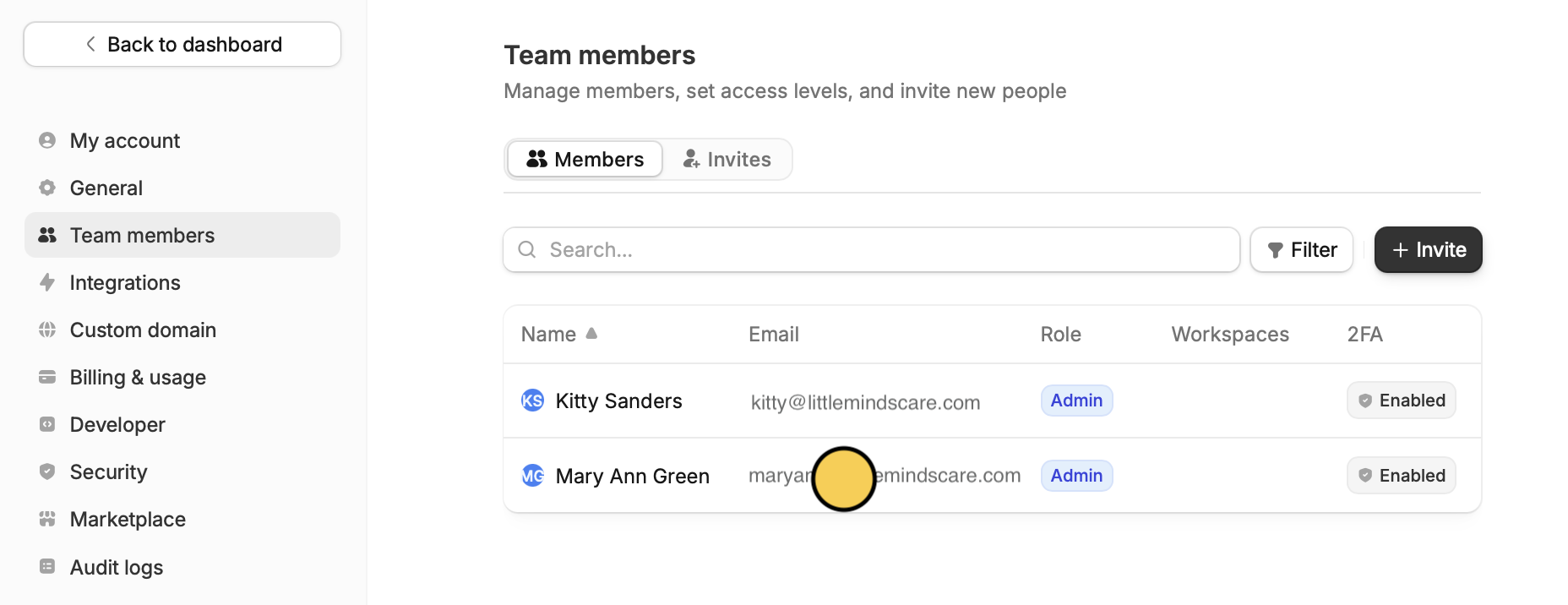
3
Switch email
Edit the email address and replace it with the updated email.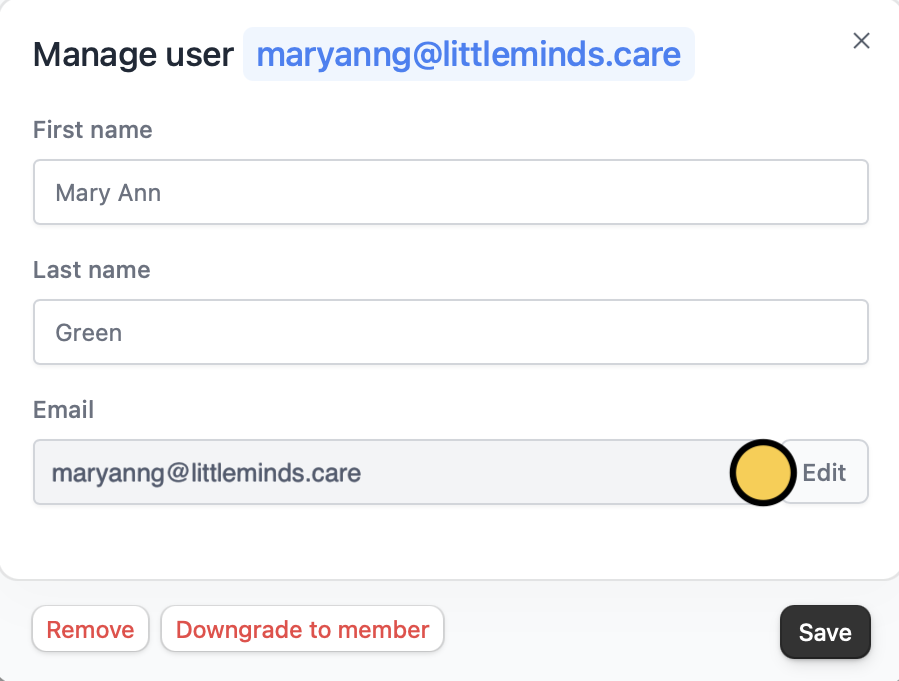
Updating a member’s email address only applies to your current org. It won’t change their email or affect their access in other separate orgs.