

Overview
Workspaces are like folders where you can organize your forms, apps, and databases. There are two types of workspaces: Classic workspaces, which are used for Fillout forms and can also contain Zite apps and databases, and Workspaces, which are designed for organizing Zite apps and databases.Create a workspace
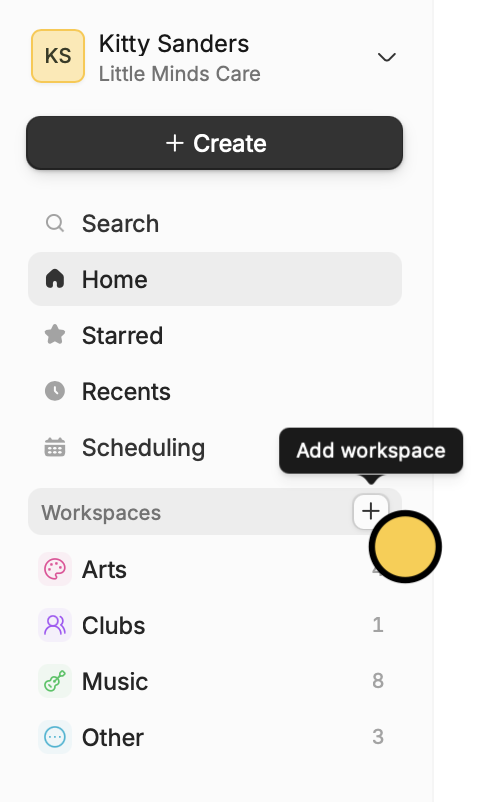
On your dashboard, hover over Classic workspaces and click theplus icon to make a new workspace.
Add a form to a workspace
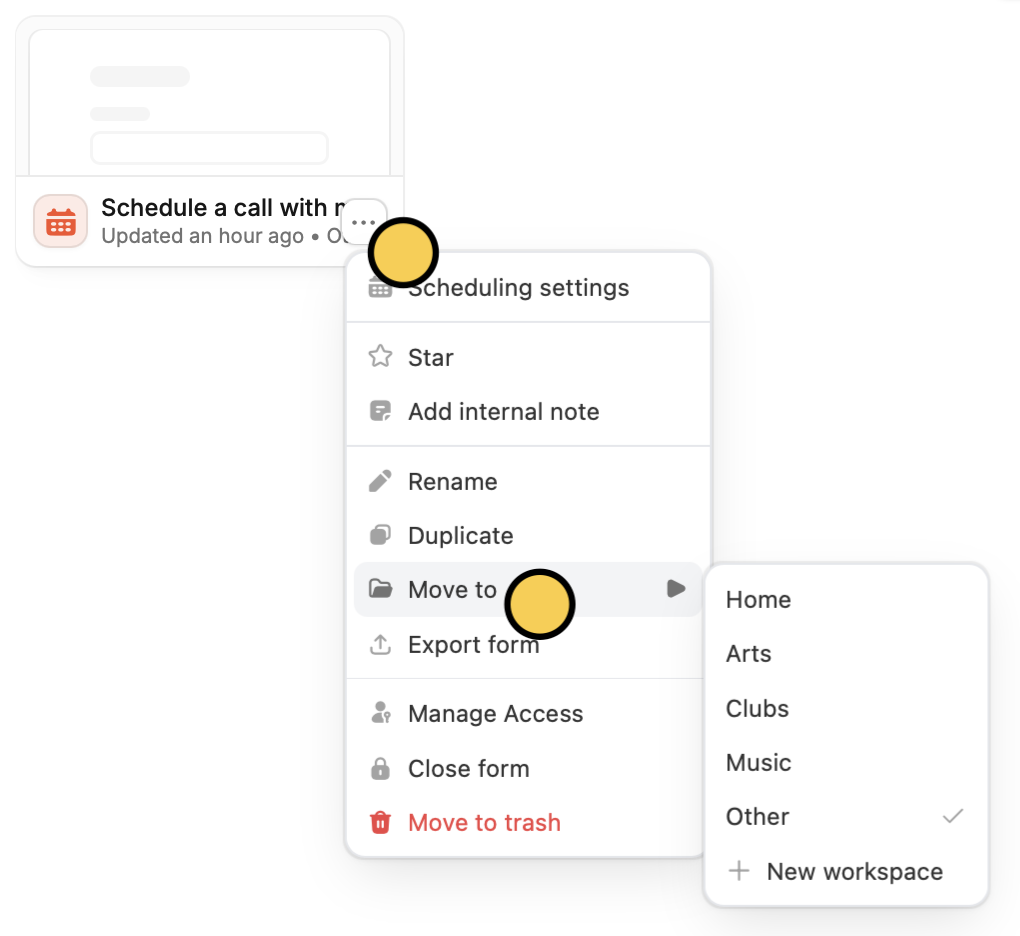
Click followed byMove to. Then, choose the workspace you’d like to add the form to.
Related articles
Invite team members to your forms
View results, and edit forms with free seats.
Import and export forms
Transfer between different accounts.
Organizations
Create organizations for different companies with the same email.