

Manage future bookings
On the left-hand panel of your form, scroll down to Availability. Toggle Limit future bookings to specify how many Days into the future respondents can reserve time slots in your calendar, or add a Date range.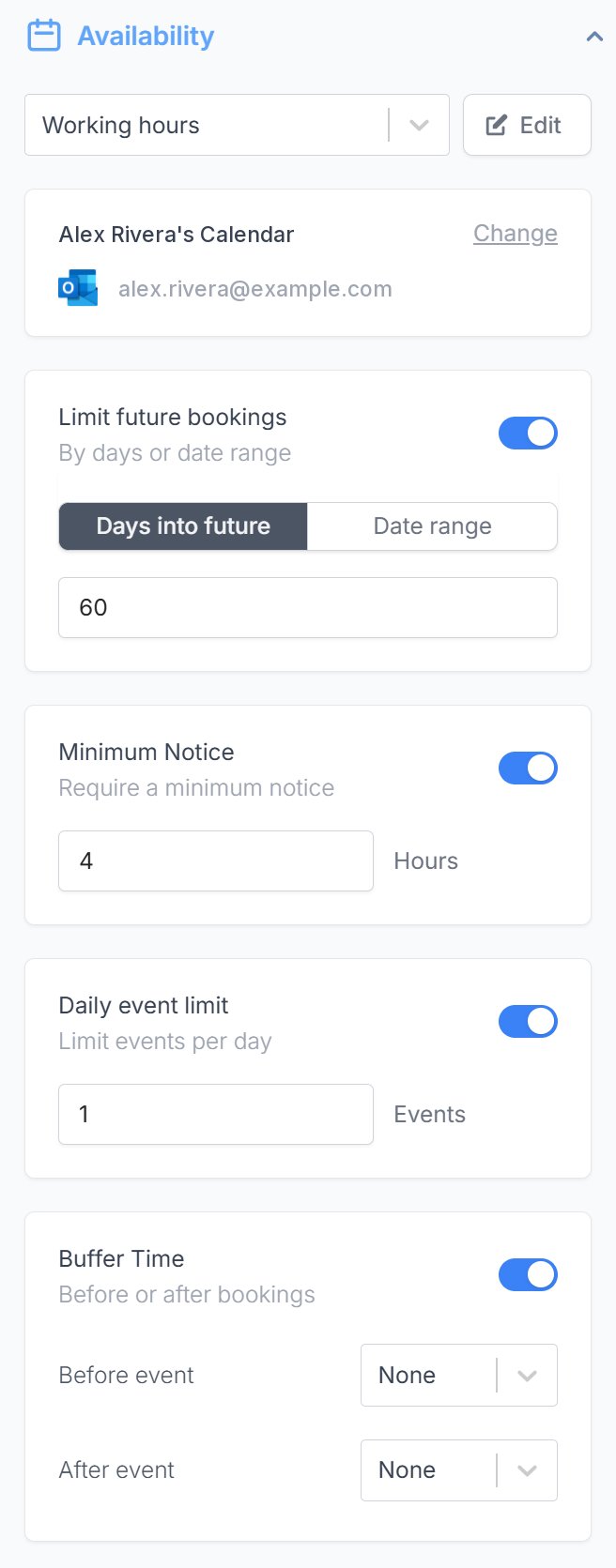
- Minimum Notice - to prevent last minute bookings
- Daily event limit - to prevent overbooking
- Buffer Time - to help you prepare for the next event or wrap up the previous one. On a round robin form, the buffer applies to every host.
What counts toward the daily event limit
The daily event limit only counts meetings booked through the same scheduling page on this form. Other events in your calendar, and meetings booked through your other forms, don’t count. Fillout finds these bookings in the calendars it checks for conflicts. Each day is counted in the Timezone set in your availability, not in your respondent’s time zone. For example, if you have one form for consultations and another for demos, each with a daily event limit of 3, respondents can book up to 3 consultations and 3 demos on the same day. To check it, book test meetings up to the limit, then open the live form again. That day no longer shows any times. Test bookings add real events to your calendar, so delete them afterwards.Related article
Set your availability
Specify your available hours and add multiple availabilities.