

Overview
The Zite Relay.app integration lets you connect your Zite databases and tables to other apps. You can automate workflows by triggering actions when data changes in Zite, or push data into Zite from other applications.How it works
Connect Zite to Relay.app
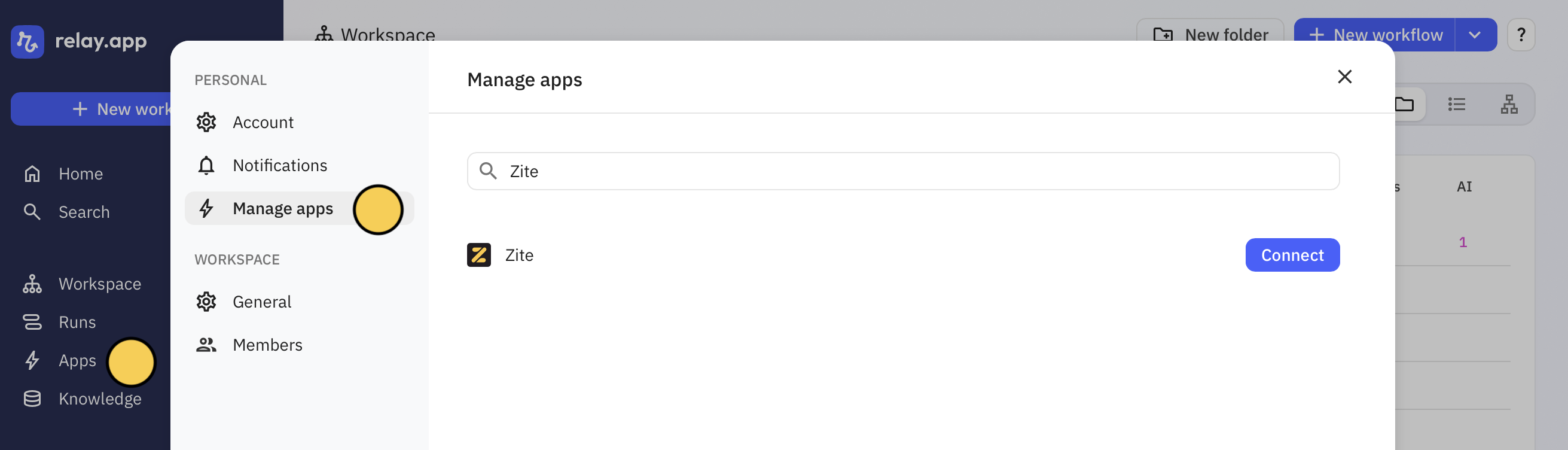
Create a workflow
On the upper left side, click 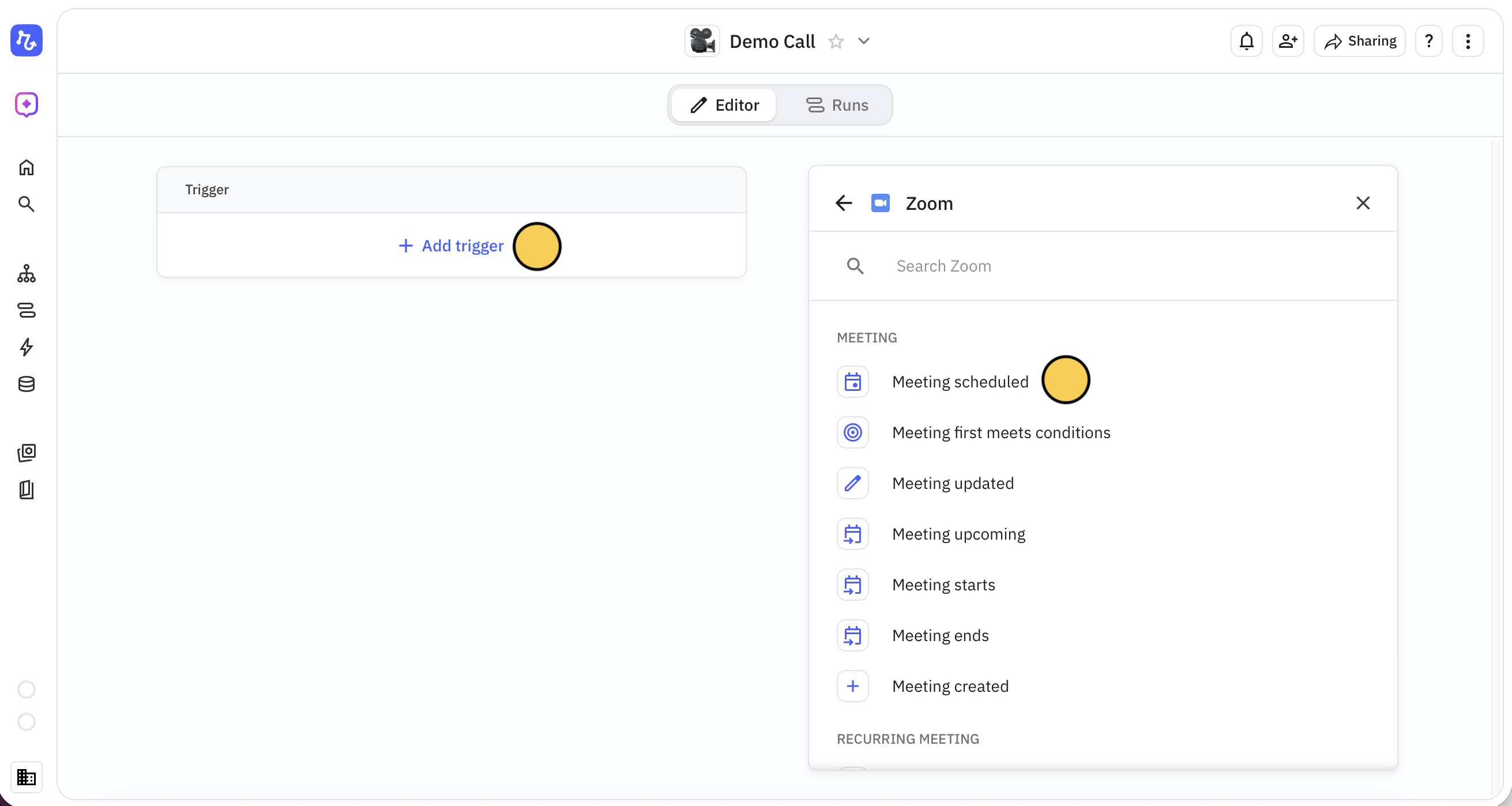
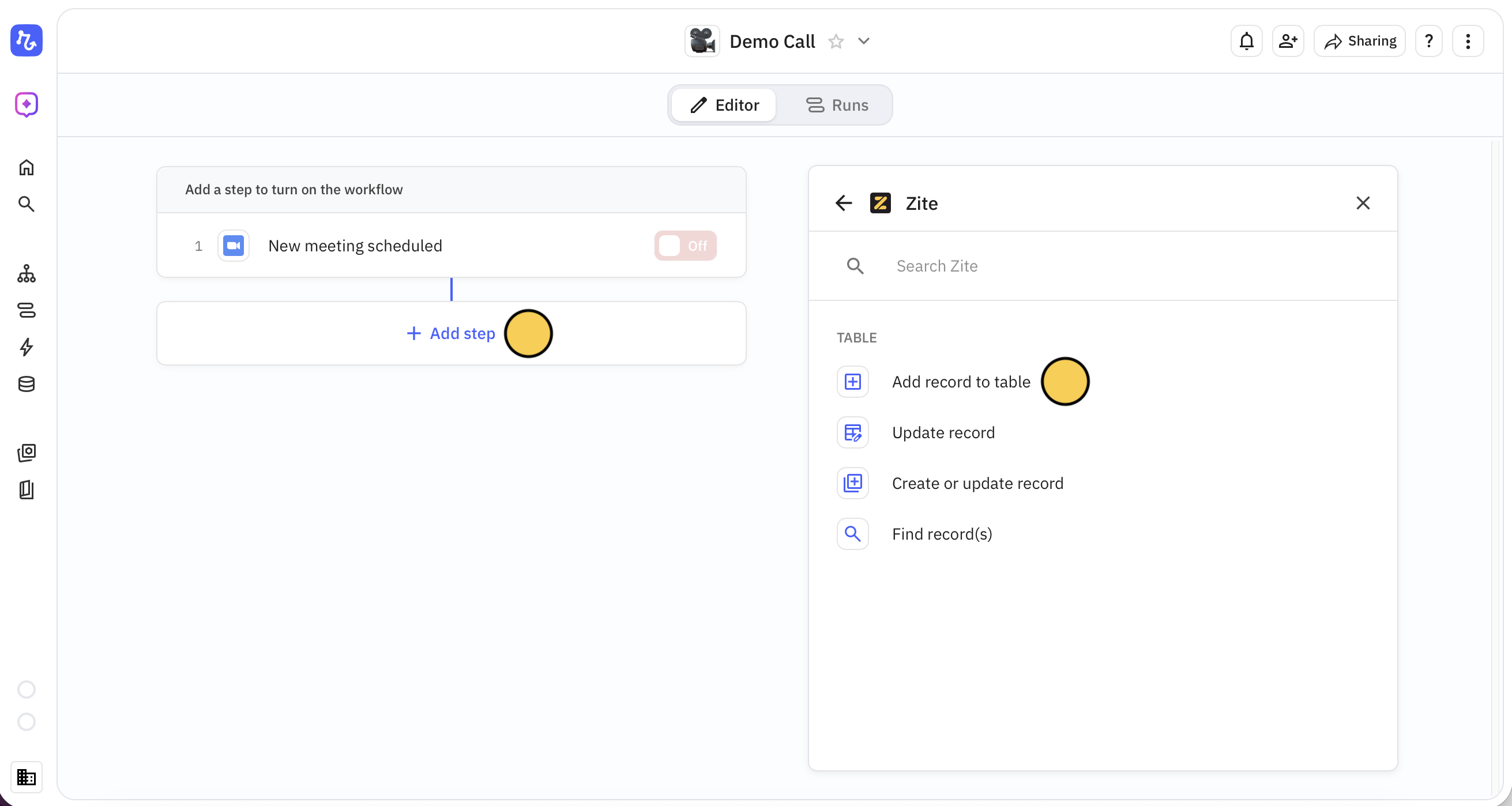
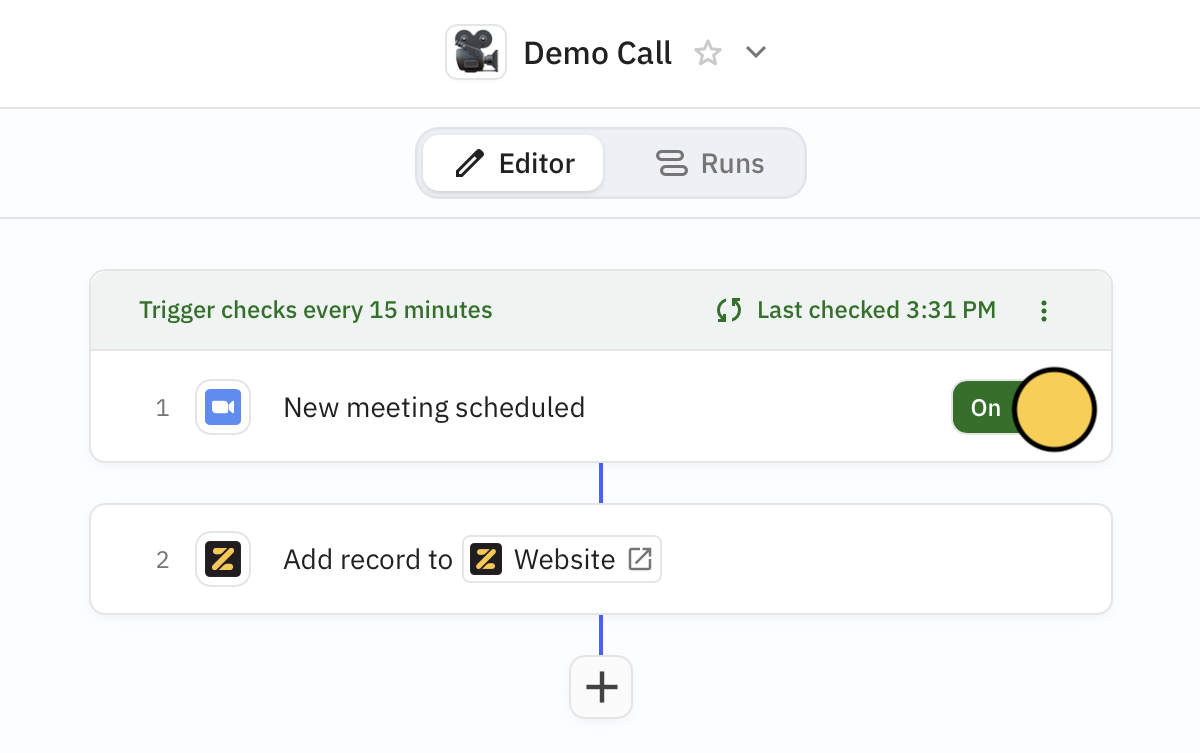
+ New workflow. You can select Zite as the trigger or use it in succeeding steps. For example, let’s record web visitors who book a Zoom demo as leads in our Zite database.First, + Add trigger. Let’s click Zoom, followed by Meeting scheduled.+ Add step. Here, we’ll choose Zite and Add record to table.Select your Database and Table
Choose the Zite Database and Table you want to connect. Add and map Fields to populate. In our example, we’ll auto-populate the email and meeting date columns in our database for every new meeeting.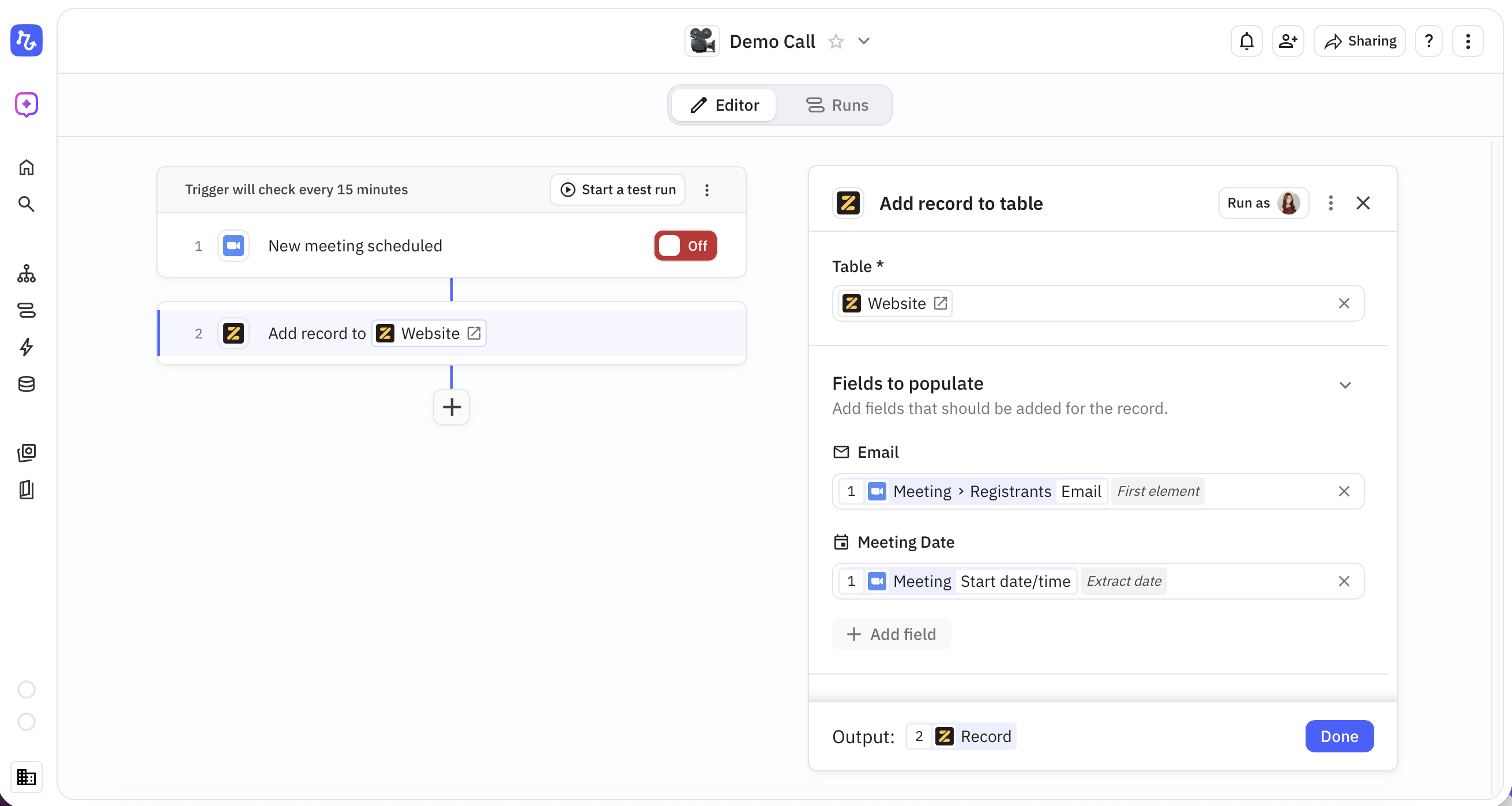
Triggers
Start a workflow when something happens in Zite:| Trigger | Description |
|---|---|
| New record added | Fires when a new record is created in a table |
| Record changed | Fires when an existing record is updated |
| Record first meets conditions | Fires when a record first matches specified conditions |
All triggers fire in real-time—no polling delays.
Steps
Do something in Zite from another app:| Action | Description |
|---|---|
| Add record to table | Creates a new record in a table |
| Update record | Updates an existing record |
| Create or update record | Creates a new record or updates an existing one |
| Find record(s) | Searches for records matching specified criteria |
Common use cases
- New record notification: Get a Slack message when a new record is added
- CRM sync: Automatically create a Zite record when a new contact is added in your CRM
- Form to database: Store form submissions from any platform in Zite
- Email automation: Send an email when a record field reaches a certain status
- Spreadsheet backup: Copy new Zite records to Google Sheets for backup
Related articles
Database Overview
Learn more about Zite Database.
Webhooks
Set up webhooks for real-time notifications.
API Reference
Use the Zite Database API.