> ## Documentation Index
> Fetch the complete documentation index at: https://fillout.com/help/llms.txt
> Use this file to discover all available pages before exploring further.

# Embed Fillout forms on Notion

> Embed a Fillout form on Notion to include surveys, questionnaires, quizzes and other forms within your workspace.

export const SupportBanner = () => {
  const titleId = React.useId();
  return <div className="support-banner" role="region" aria-labelledby={titleId}>
      <span className="support-banner__ring support-banner__ring--outer" aria-hidden="true" />
      <span className="support-banner__ring support-banner__ring--middle" aria-hidden="true" />
      <span className="support-banner__ring support-banner__ring--inner" aria-hidden="true" />
      <span className="support-banner__ring support-banner__ring--center" aria-hidden="true" />

      <div className="support-banner__content">
        <div className="support-banner__title" id={titleId} role="heading" aria-level="2">Still have questions?</div>

        <div className="support-banner__copy">
          <span className="support-banner__line">Our team is happy to help. Start a live chat using the</span>
          <span className="support-banner__line">
            chat bubble <span className="support-banner__chat-icon" aria-hidden="true" /> in the bottom right, or email us at
          </span>
          <span className="support-banner__line">
            <a href="mailto:support@fillout.com">support{'@'}fillout.com</a>
          </span>
        </div>

        <a className="support-banner__cta" href="mailto:support@fillout.com">Contact us</a>
      </div>
    </div>;
};

## How to embed forms to your Notion page

<Steps>
  <Step title="Use the embed shortcut">
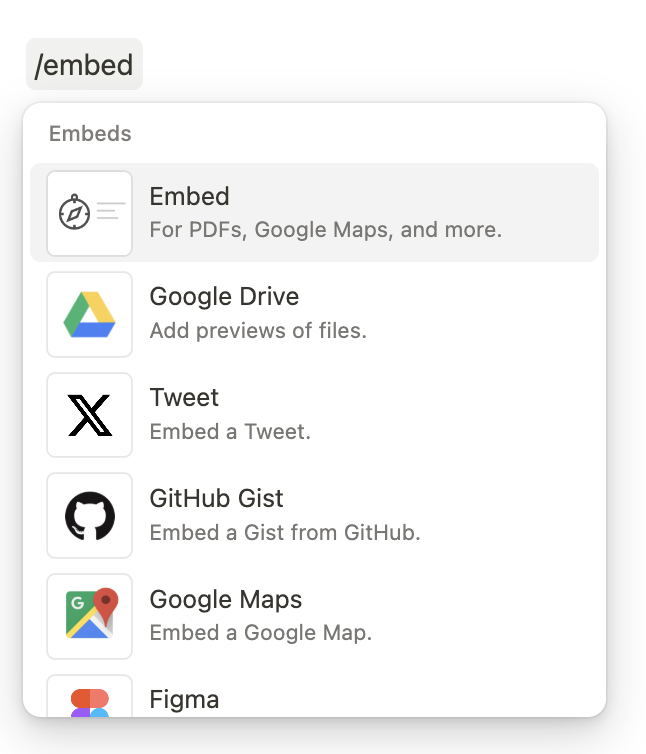
    On your Notion page, type `/embed`, then press `enter` or `return` on your keyboard.
    <img src="https://mintcdn.com/fillout-005a867b/NAcRDOGnlYuurtkT/images/Screenshot2025-02-12at4.52.26PM.png?fit=max&auto=format&n=NAcRDOGnlYuurtkT&q=85&s=1e69ffce2c7544112da19f68114f7d5d" alt="Screenshot of the Integrate tab of a form" style={{ width:"63%" }} width="646" height="754" data-path="images/Screenshot2025-02-12at4.52.26PM.png" />
  </Step>

  <Step title="Paste the link of your form">
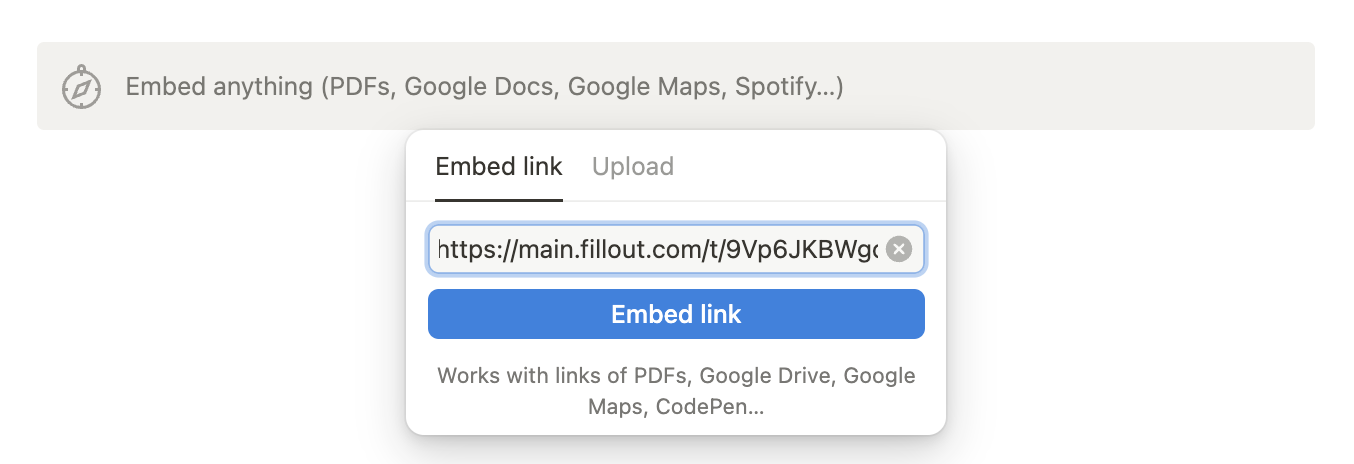
    In your Fillout form, click `Share` from the top menu to copy your **link**. Then, paste this to your Notion page.
    <img src="https://mintcdn.com/fillout-005a867b/NAcRDOGnlYuurtkT/images/Screenshot2025-02-12at4.53.59PM.png?fit=max&auto=format&n=NAcRDOGnlYuurtkT&q=85&s=1e59c4a8ab34886b8597a9192c95558a" alt="Screenshot of the Integrate tab of a form" style={{ width:"85%" }} width="1354" height="464" data-path="images/Screenshot2025-02-12at4.53.59PM.png" />

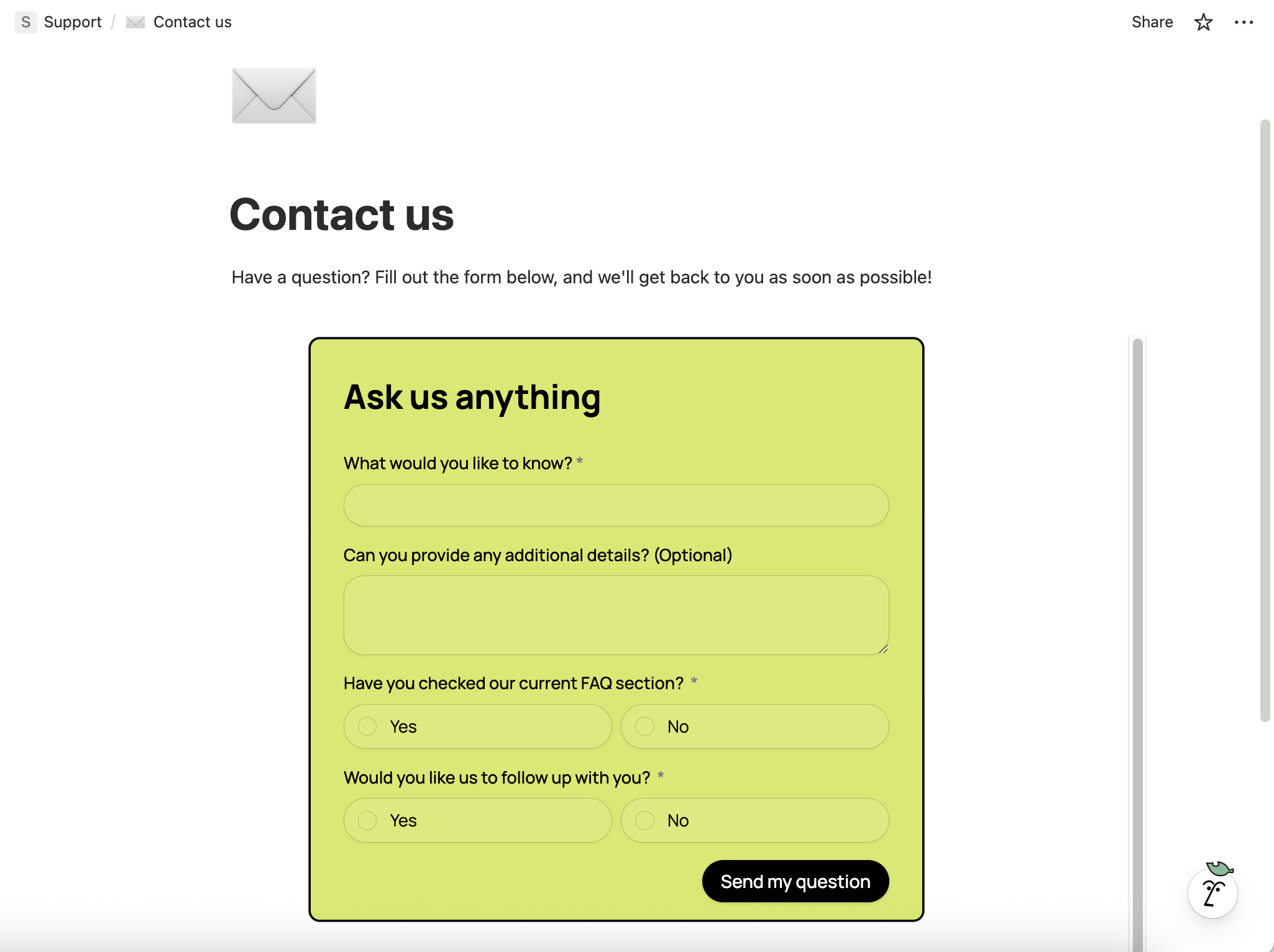
    That’s it! Your form is now embedded in your Notion page.
    <img src="https://mintcdn.com/fillout-005a867b/bW6_fNNhlKgQzJGh/images/Screenshot2025-11-12at3.17.04PM.png?fit=max&auto=format&n=bW6_fNNhlKgQzJGh&q=85&s=a0d0805df02a53c2b506da1ce31e4aff" alt="Screenshot 2025-11-12 at 3.17.04 PM.png" width="2050" height="1532" data-path="images/Screenshot2025-11-12at3.17.04PM.png" />

    <Check>
      You can also make a **Fillout** form to update your Notion databases. View the guide [here](https://www.fillout.com/notion).
    </Check>
  </Step>
</Steps>

## Notion specific guides

<CardGroup cols={3}>
  <Card title="Create a Notion form" icon="cube" iconType="regular" color="#FFC738" href="/help/notion">
    Create or update existing Notion databases.
  </Card>

  <Card title="Update existing Notion pages" icon="arrow-rotate-right" iconType="regular" color="#FFC738" href="/help/notion-update-form">
    Edit existing pages and pre-fill fields.
  </Card>

  <Card title="Add contents to a Notion page" icon="file-waveform" iconType="regular" color="#FFC738" href="/help/notion-add-page-content">
    Use a Fillout form to add styled content.
  </Card>
</CardGroup>

<SupportBanner />
